
How to let visitors register on your site
Updated about 1 month ago
Browse All
You don't have to add every member by hand. Turn on open registration once, and anyone who visits your site can create their own account — landing straight in the role you pick for them.
Prerequisites
- You're signed in to your site as an administrator.
- You've decided what new members should be able to do — most sites start them as a Subscriber.
Steps
Turn registration on in General Settings
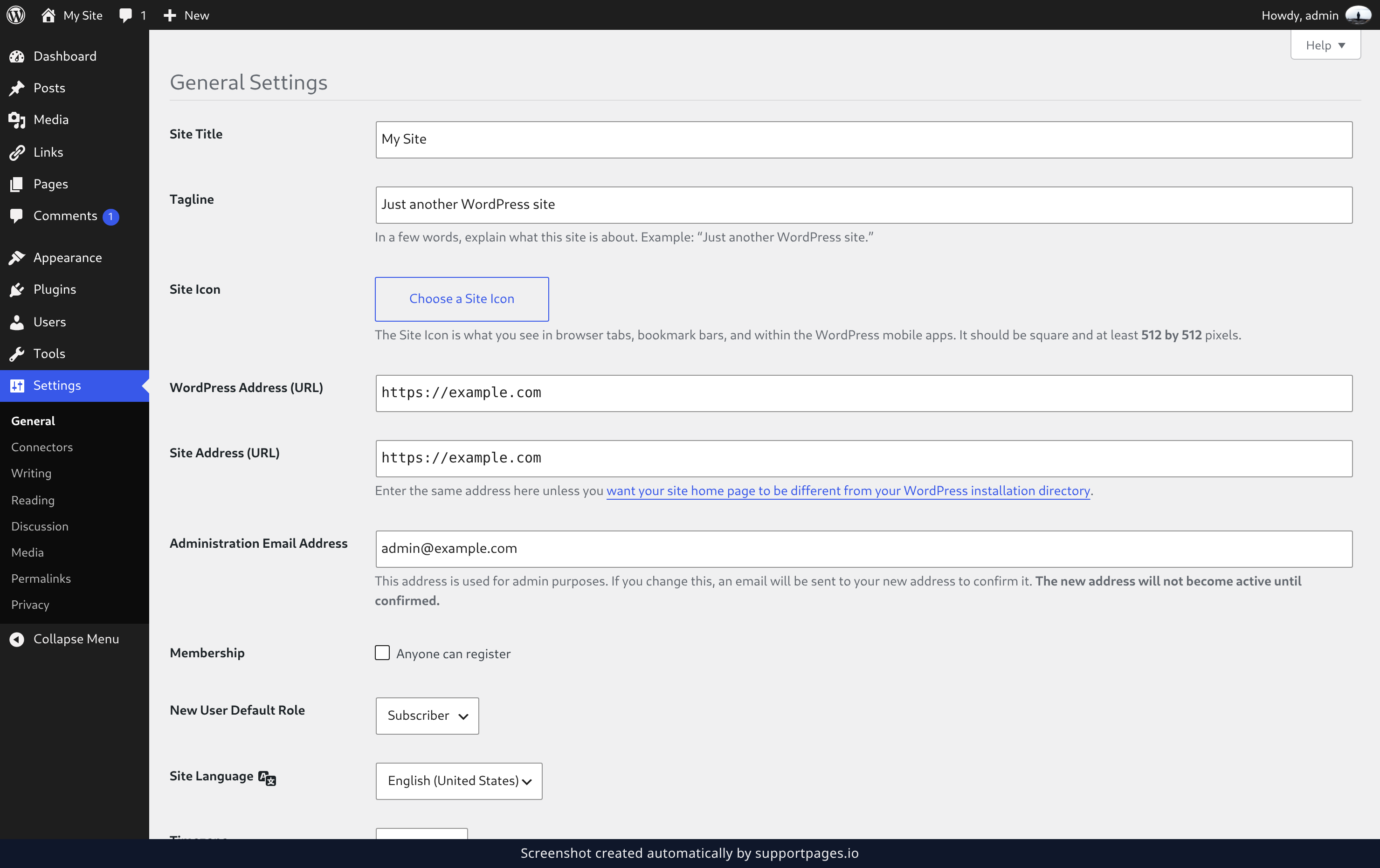
In the left sidebar, click Settings, then General. Under Membership, tick the Anyone can register box, and under New User Default Role pick what new members can do — Subscriber is the right answer for most sites.
Save your changes
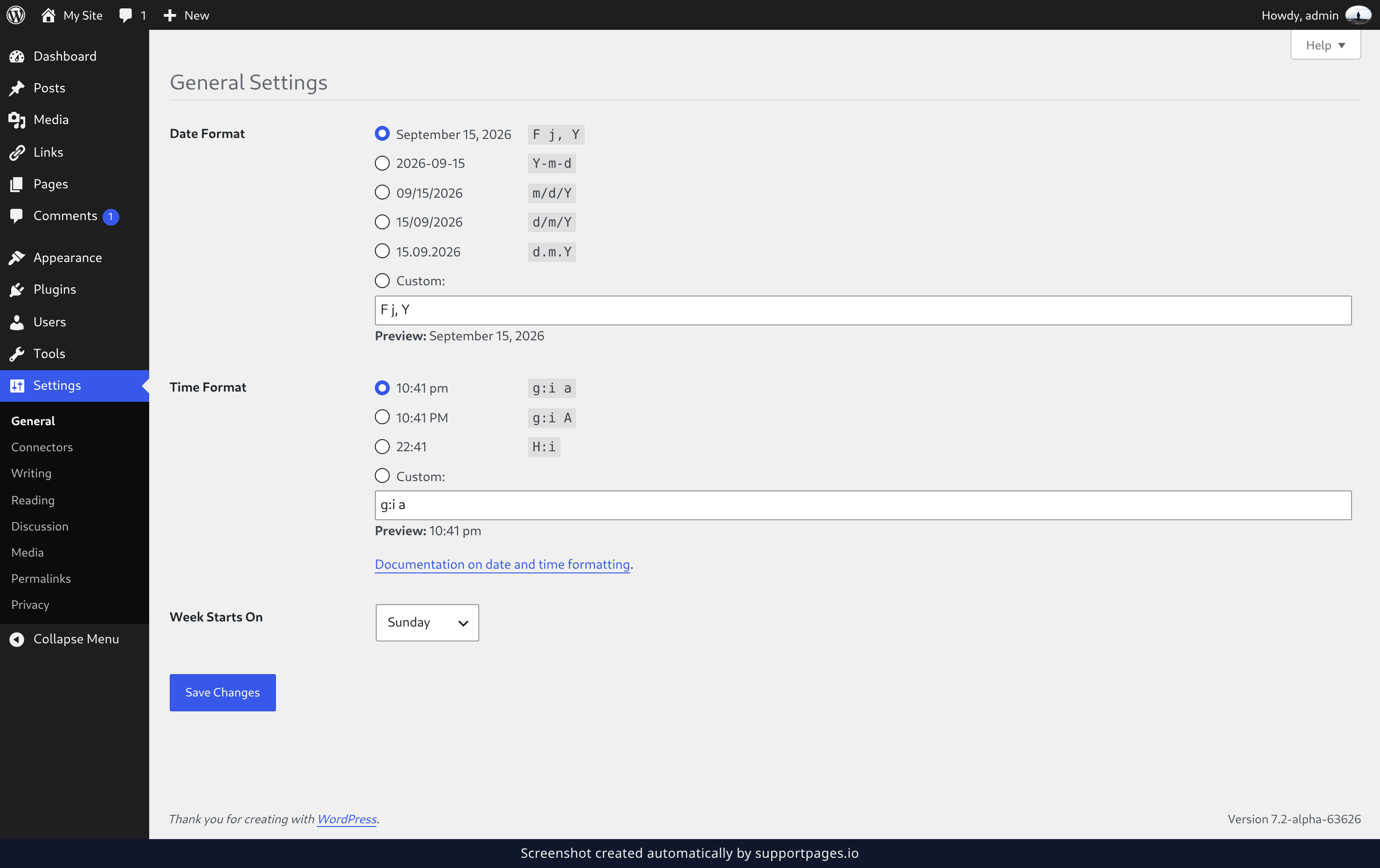
Click Save Changes at the bottom of the screen. Registration is now open — no other setting is needed.
What visitors see
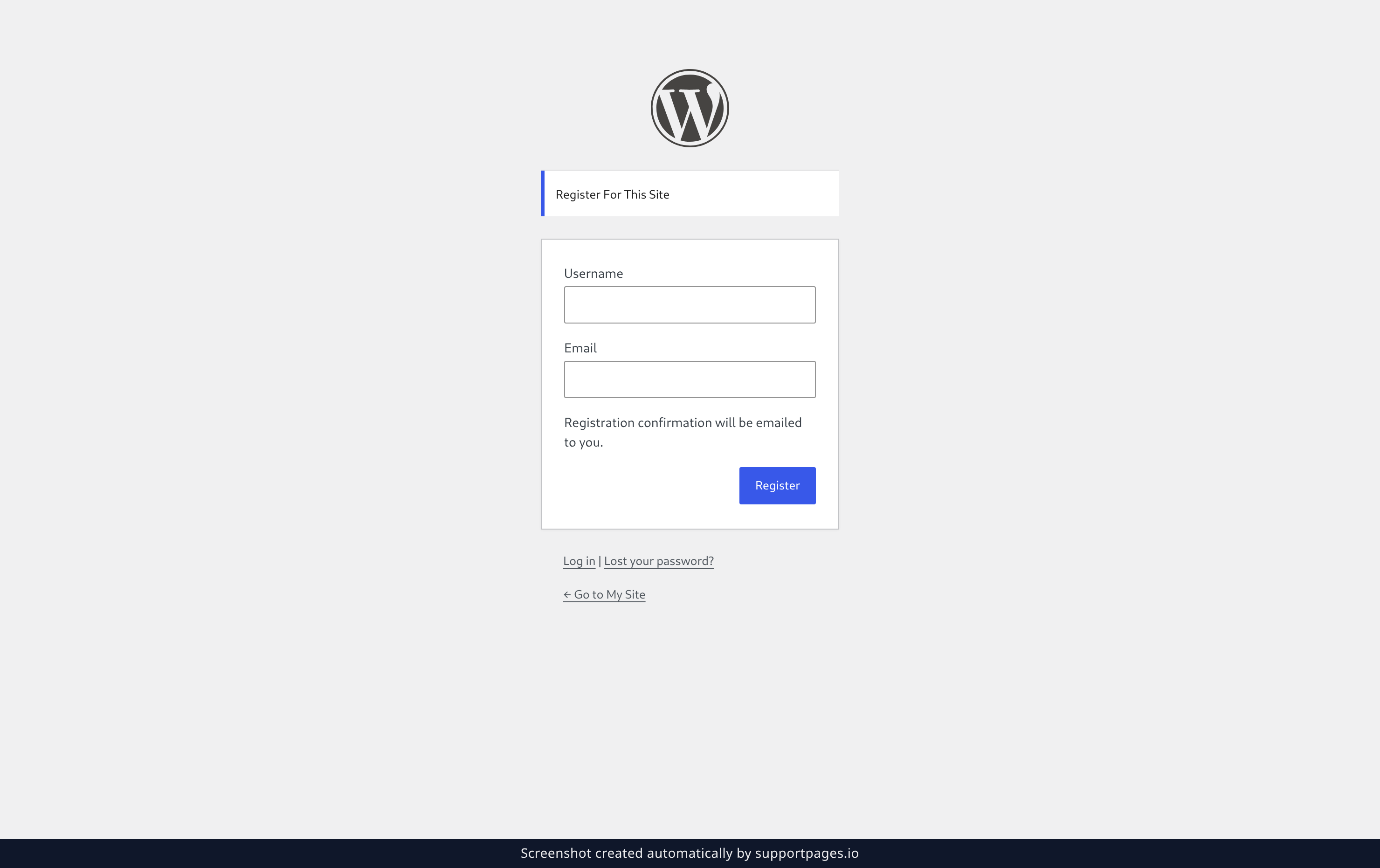
Your login screen now shows a Register link. Point people at your signup page — it lives at wp-login.php?action=register — and they can join with just a username and an email address. WordPress emails them a confirmation, and their account is created in the role you chose.
Tips
- Registration is off until you turn it on, and you can turn it back off the same way whenever you like.
- The dropdown deliberately leaves out Administrator and Editor, so a signup can never hand someone the keys to your site.
- Changing the default role only affects accounts created from that point on — it won't touch the members you already have.
Summary
You've opened your site to new members and set the role they start with. If you ever want to close the doors again, head back to Settings → General and untick Anyone can register.
Was this article helpful?
Help centre by supportpages.io — AI-generated documentation for SaaS.
Have a question?
Search our articles, or ask and get an answer straight away.