
How to export a person’s data
Updated about 1 month ago
Browse All
When someone asks for a copy of what your site knows about them, WordPress can round it up for you. Open Tools → Export Personal Data, add their details, and WordPress gathers the data into a file you can send on.
Before you start
- An administrator account on the site — the export tool lives behind the Tools menu.
- The person's username or the email address they use on your site.
- A way to reach them, since WordPress emails them a link to approve the request.
Steps
Open the personal data export tool
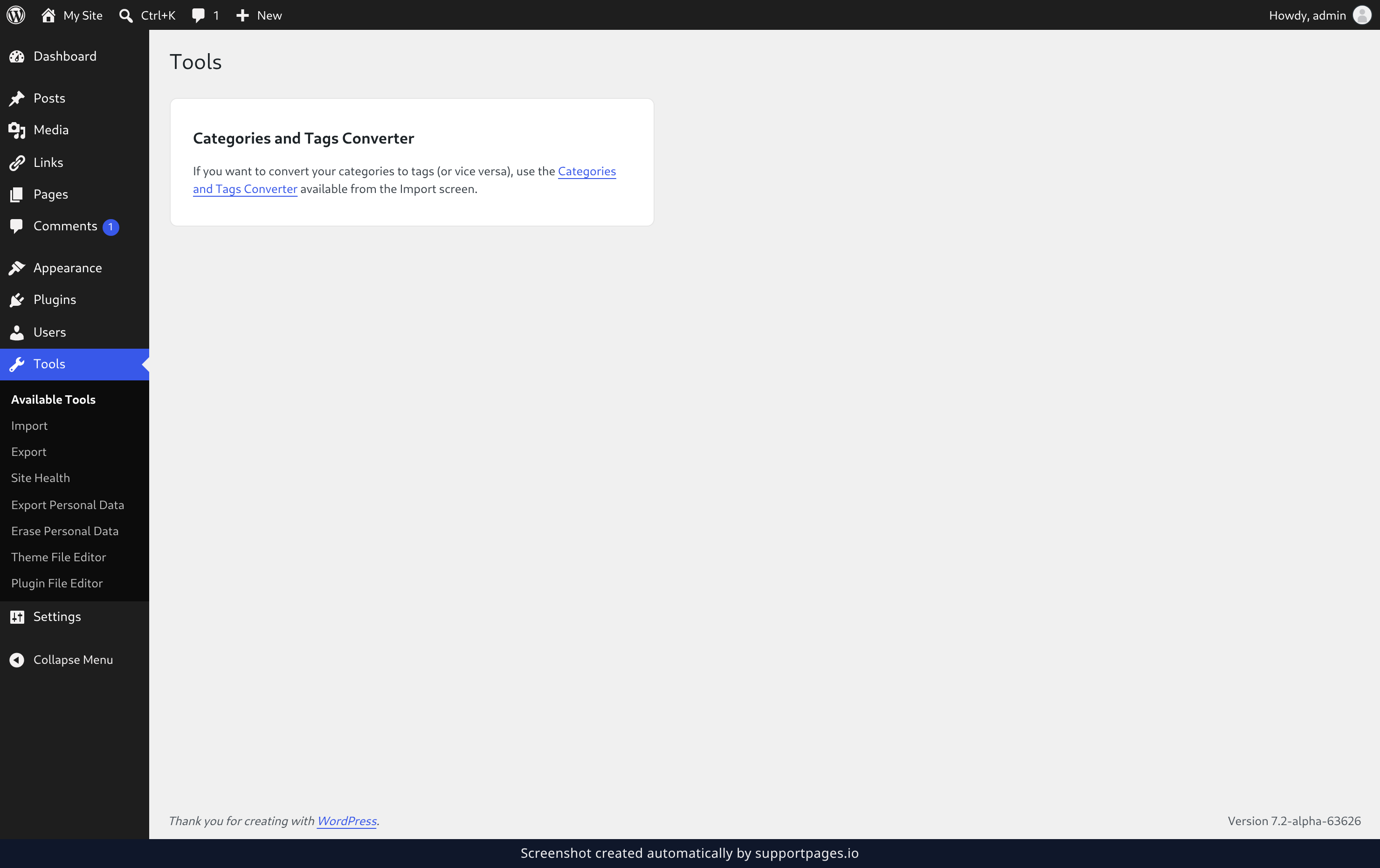
In the admin menu, click Tools, then choose Export Personal Data. You'll land on the screen where export requests are managed.
Add the person's export request
Under Add Data Export Request, type their username or email address into Username or email address. Leave Confirmation email ticked so WordPress asks them to approve the request, then click Send Request.
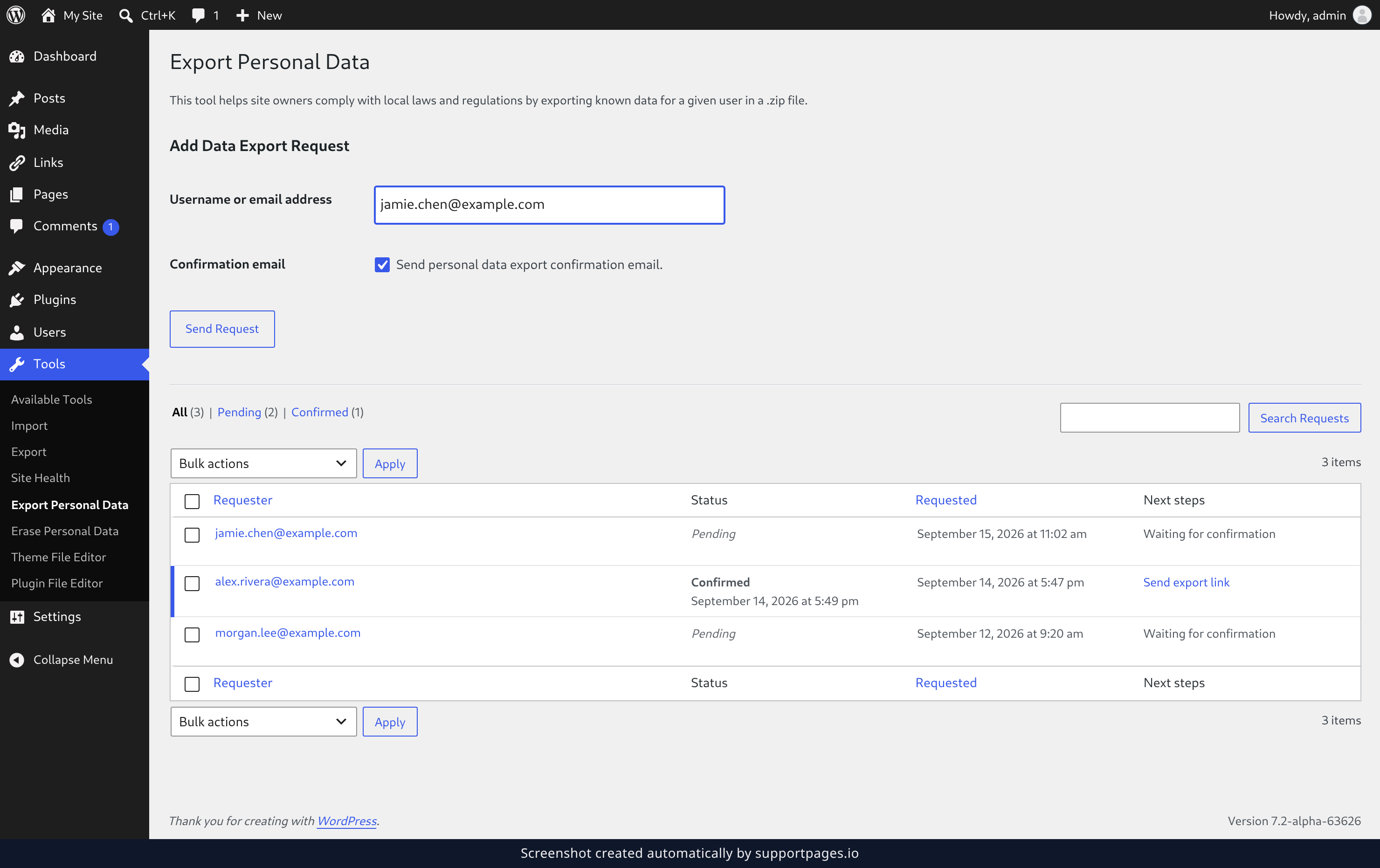
WordPress emails them a link, and nothing is gathered until they click it. Their request reads Pending on this screen until then, so reload the page to check on it.
Send or download their data
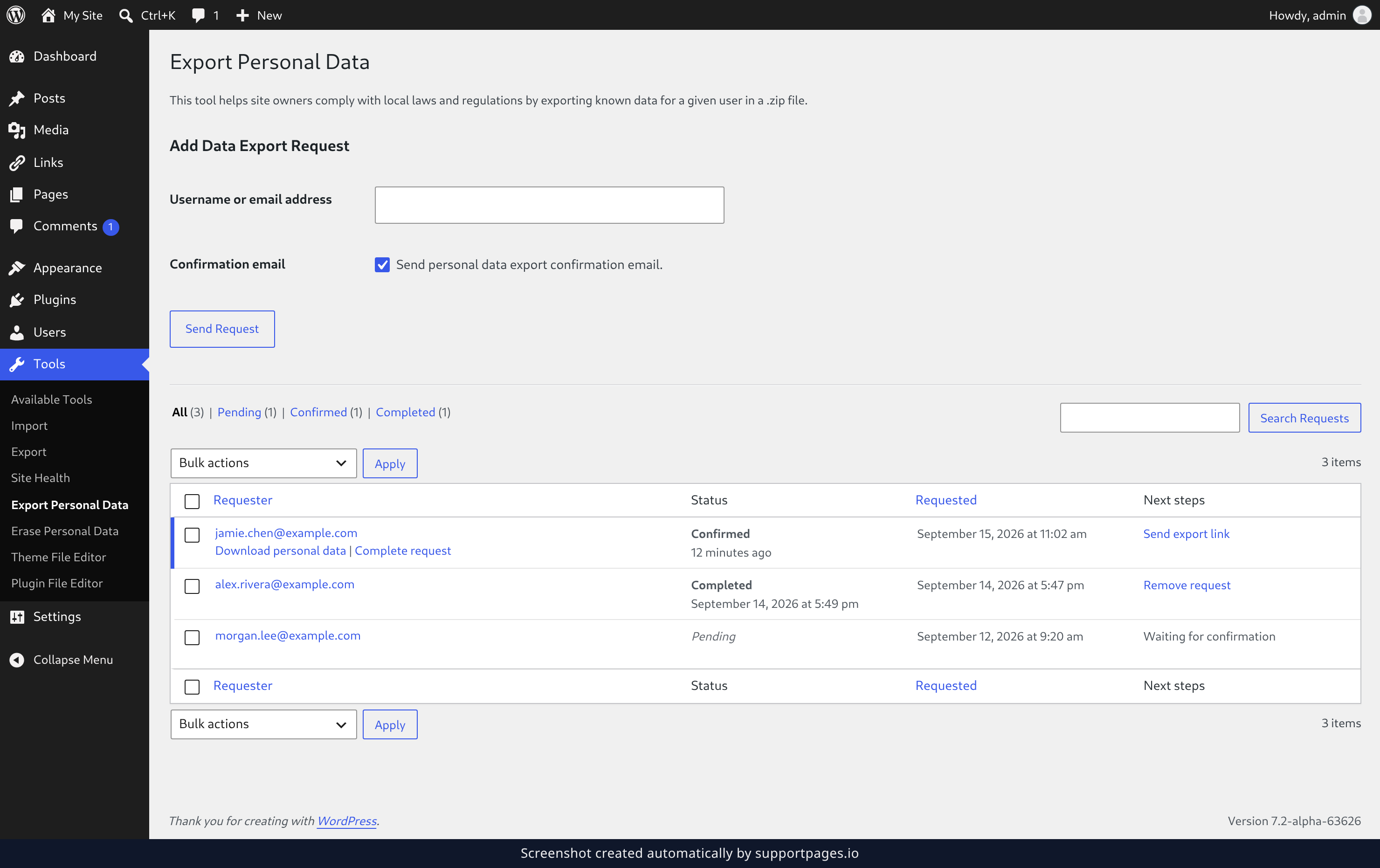
Once the request shows as Confirmed, hover over their row and click Send export link to email them a download link, or click Download personal data to save the file yourself.
Good to know
- The export covers what WordPress itself stores — profile details, comments, and media — plus anything a plugin hands over.
- Data held by outside services isn't included, so you may need to gather that part separately.
- If the email never turns up, the request row offers Retry so you can send it again.
Summary
You've asked WordPress to gather one person's data and pass it along. Keep an eye on the request row until it reads Completed — that's your record that the request was handled.
Was this article helpful?
Maintained by supportpages.io, a self-updating help centre for SaaS teams.
Have a question?
Search our articles, or ask and get an answer straight away.