
Why your comments are not showing up
Updated about 1 month ago
Browse All
If a comment isn't showing up on your site, it's almost always sitting in one of three places in your dashboard. Here's how to find it and get it published.
Checks and fixes
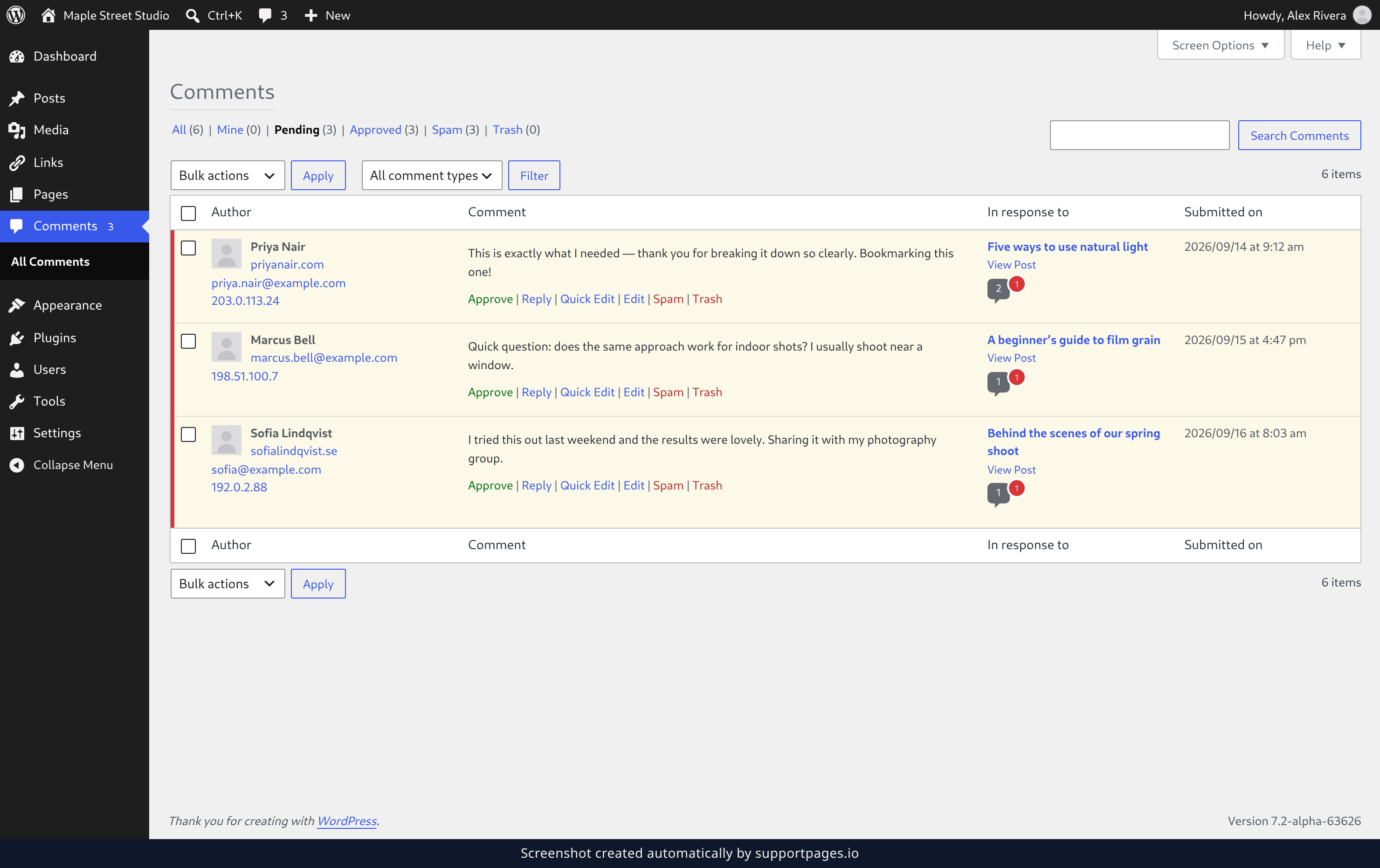
Check for comments waiting for approval
Open Comments in your dashboard and click the Pending tab. If your missing comment is sitting in that list, hover over it and click Approve — it appears on your site straight away.
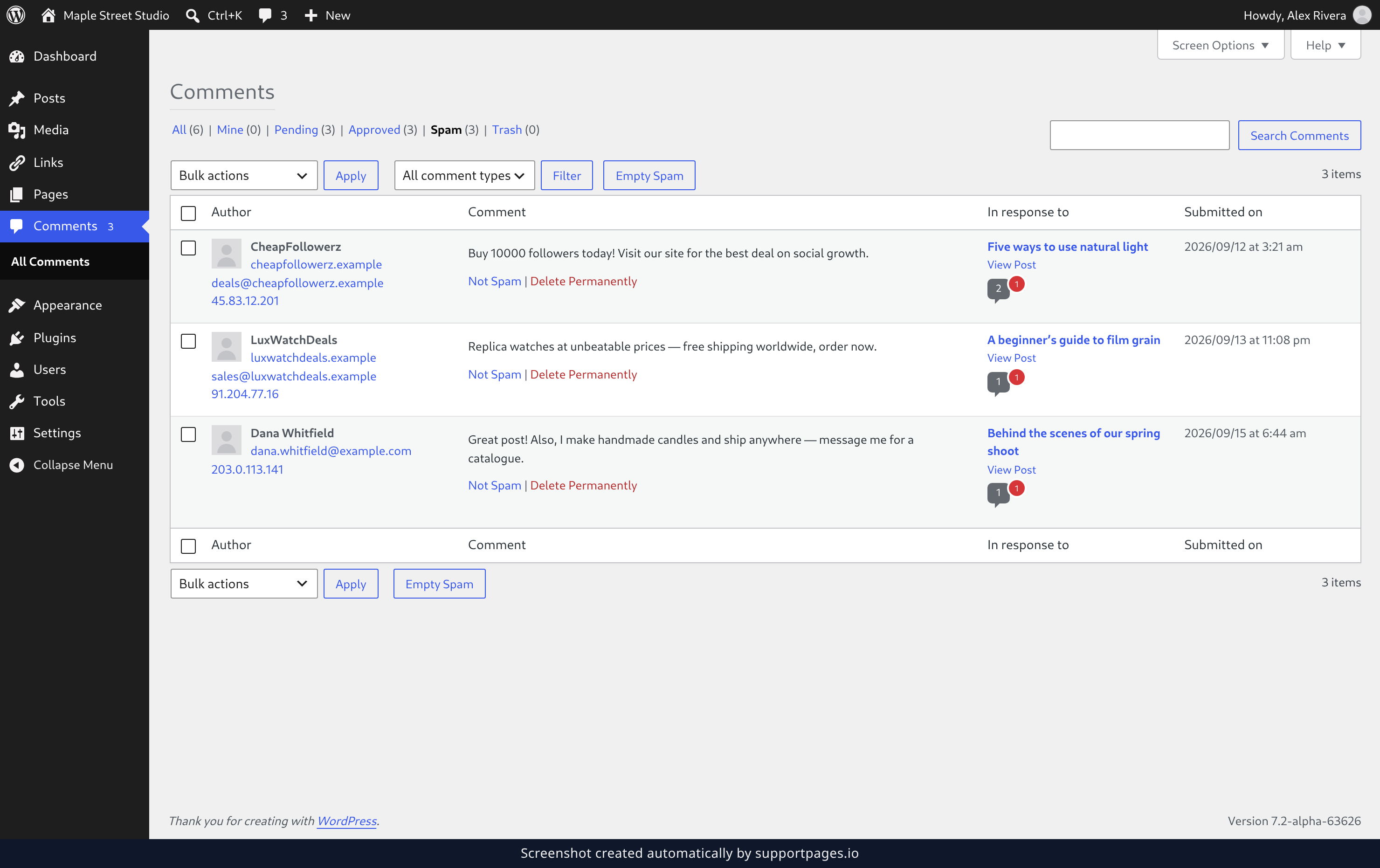
Check whether the comment was marked as spam
Back on the Comments screen, click the Spam tab. If the comment landed there by mistake, hover over it and click Not Spam to move it back into your approved comments.
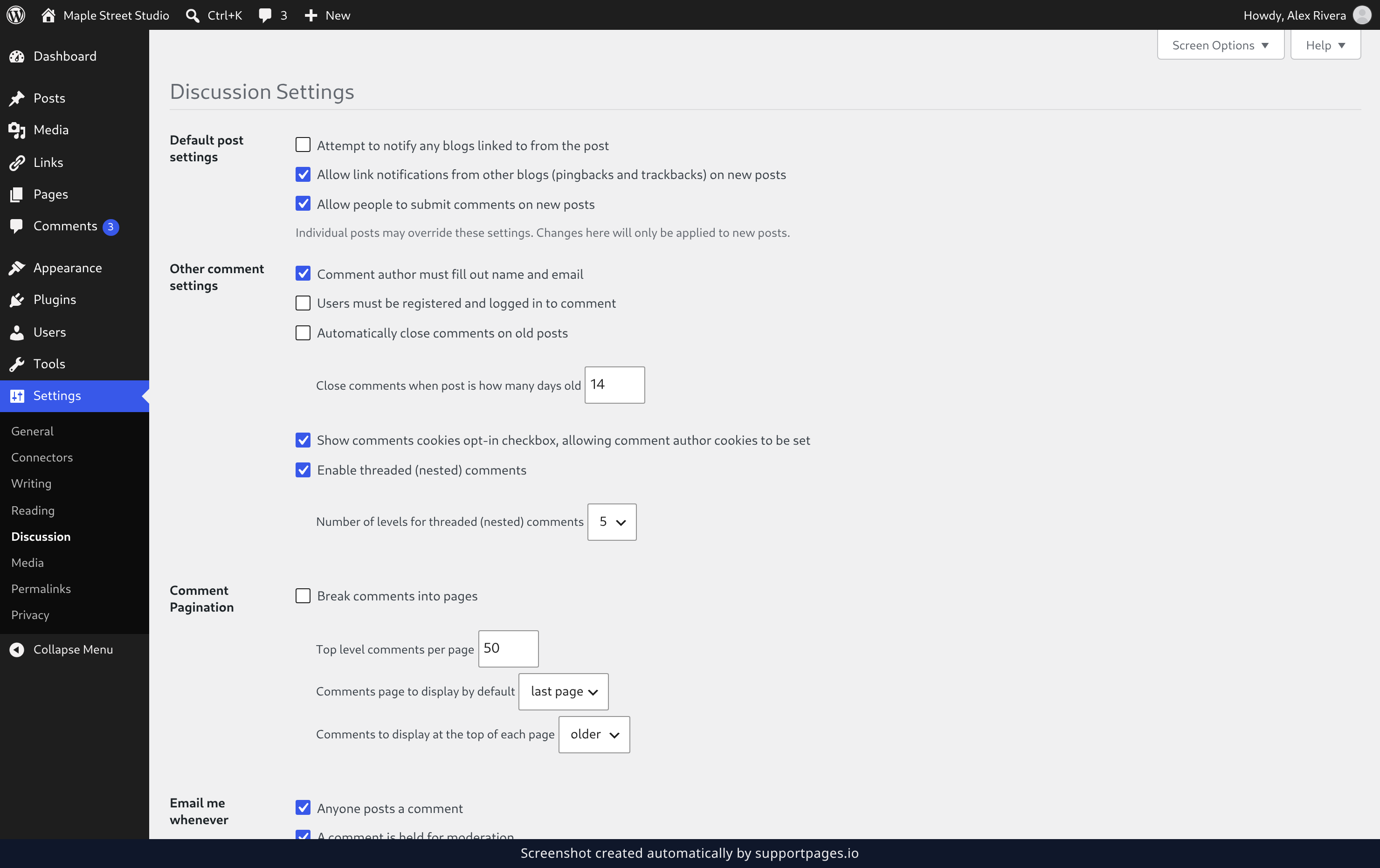
Check whether comments are closed
Open Settings → Discussion. Under Default post settings, make sure Allow people to submit comments on new posts is ticked — that's the switch that lets new comments through at all. Then look at Automatically close comments on old posts under Other comment settings, which shuts comments off on anything older than the number of days beside it.
Tips
- If Comment must be manually approved is ticked on the Discussion screen, every new comment waits for you — expect to find them in Pending from then on.
- Comment author must have a previously approved comment holds back first-time commenters only, so regulars sail straight through.
- A single post can close its own comments, and that always wins over what you choose in Discussion.
- WordPress clears the Trash automatically after a set number of days, so restore anything you want to keep before then.
Summary
Most of the time the missing comment is in Pending or Spam, and one click puts it back on your site. If both queues are empty, the answer is on the Discussion screen.
Was this article helpful?
Made by supportpages.io — turning pull requests into automated user documentation.
Have a question?
Search our articles, or ask and get an answer straight away.