How to choose your default category and post format
Updated about 1 month ago
Browse All
Every post you write needs a category, and it can use a post format too. Pick your defaults once, and WordPress fills them in for you from then on.
Prerequisites
- An Administrator account for your site, or another account that's allowed to change your site's settings.
Steps
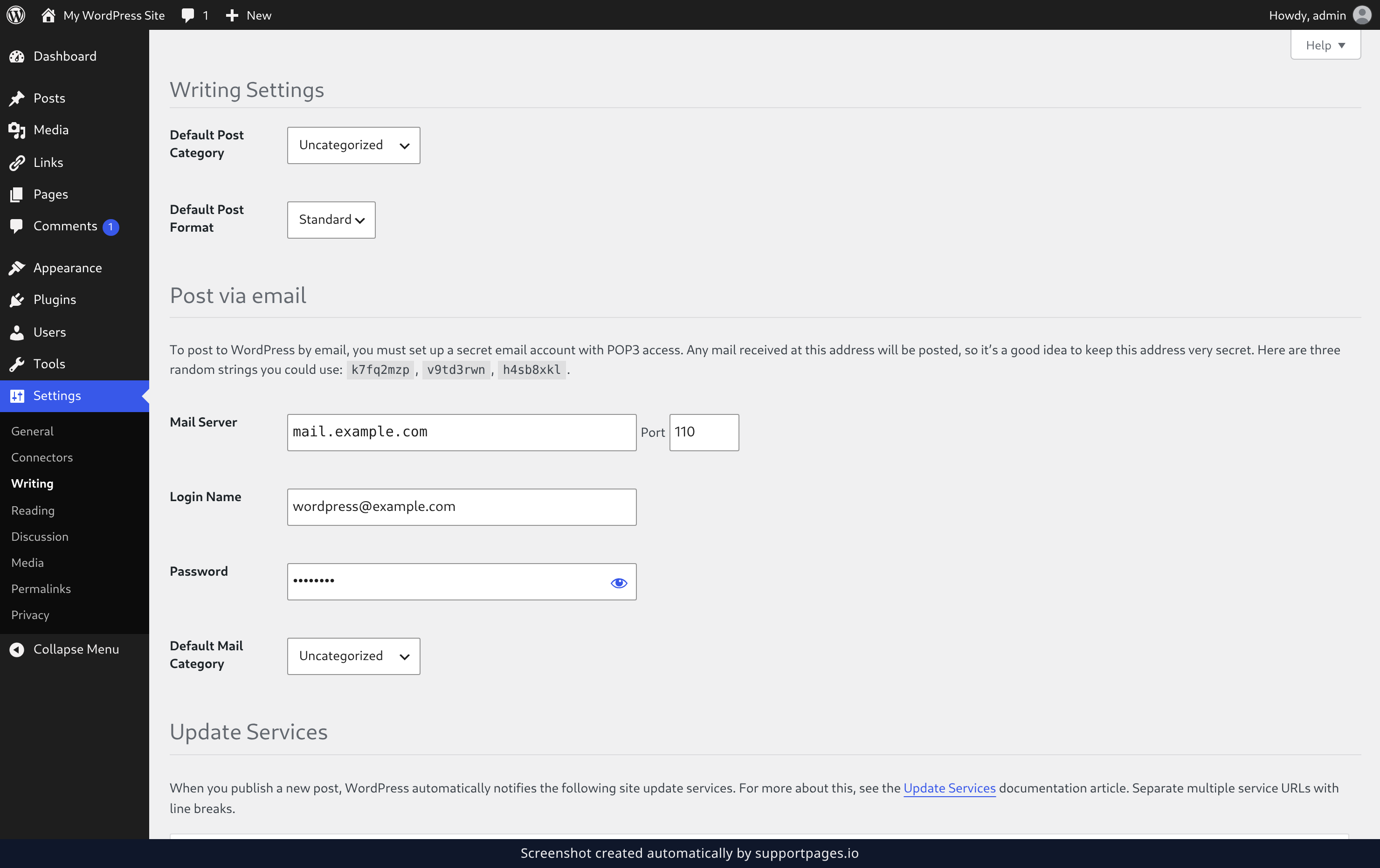
Open the Writing settings and set your defaults
In the menu on the left, click Settings, then click Writing. Open the Default Post Category dropdown and pick where new posts should land, then open the Default Post Format dropdown and pick the format you write most. If you're unsure about the format, leave it on Standard — that's the everyday format most themes expect.
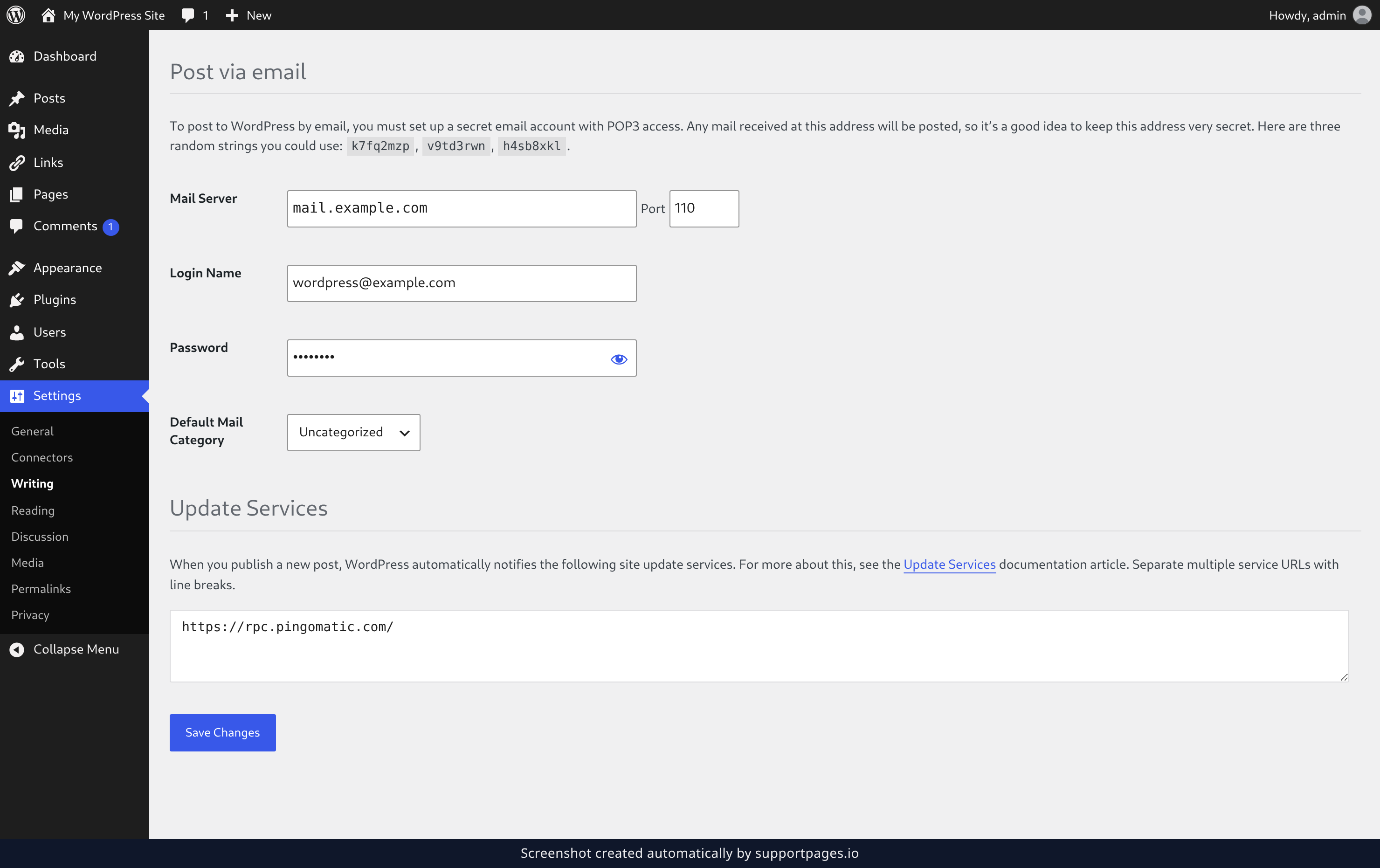
Save your changes
Click Save Changes at the bottom of the page. WordPress will use your new defaults for every post you write from now on.
Tips
- The Default Post Category list shows every category on your site, so you can pick one without leaving this page.
- You can still change the category or format on any single post as you write it — these defaults are just the starting point.
Summary
Your default category and post format are set. Every new post now starts with those choices already made, and you can override them per post whenever you like.
Was this article helpful?
Help centre by supportpages.io — AI-generated documentation for SaaS.
Have a question?
Search our articles, or ask and get an answer straight away.