
How to check your site’s health
Updated about 1 month ago
Browse All
Site Health runs a set of checks on your WordPress site and tells you, in plain words, what is working and what needs your attention. It is the quickest way to catch a quiet problem before your visitors notice one.
Prerequisites
- An administrator account — only administrators can open the Site Health screen.
- A few seconds to let the checks finish once the page loads.
Steps
Open Site Health
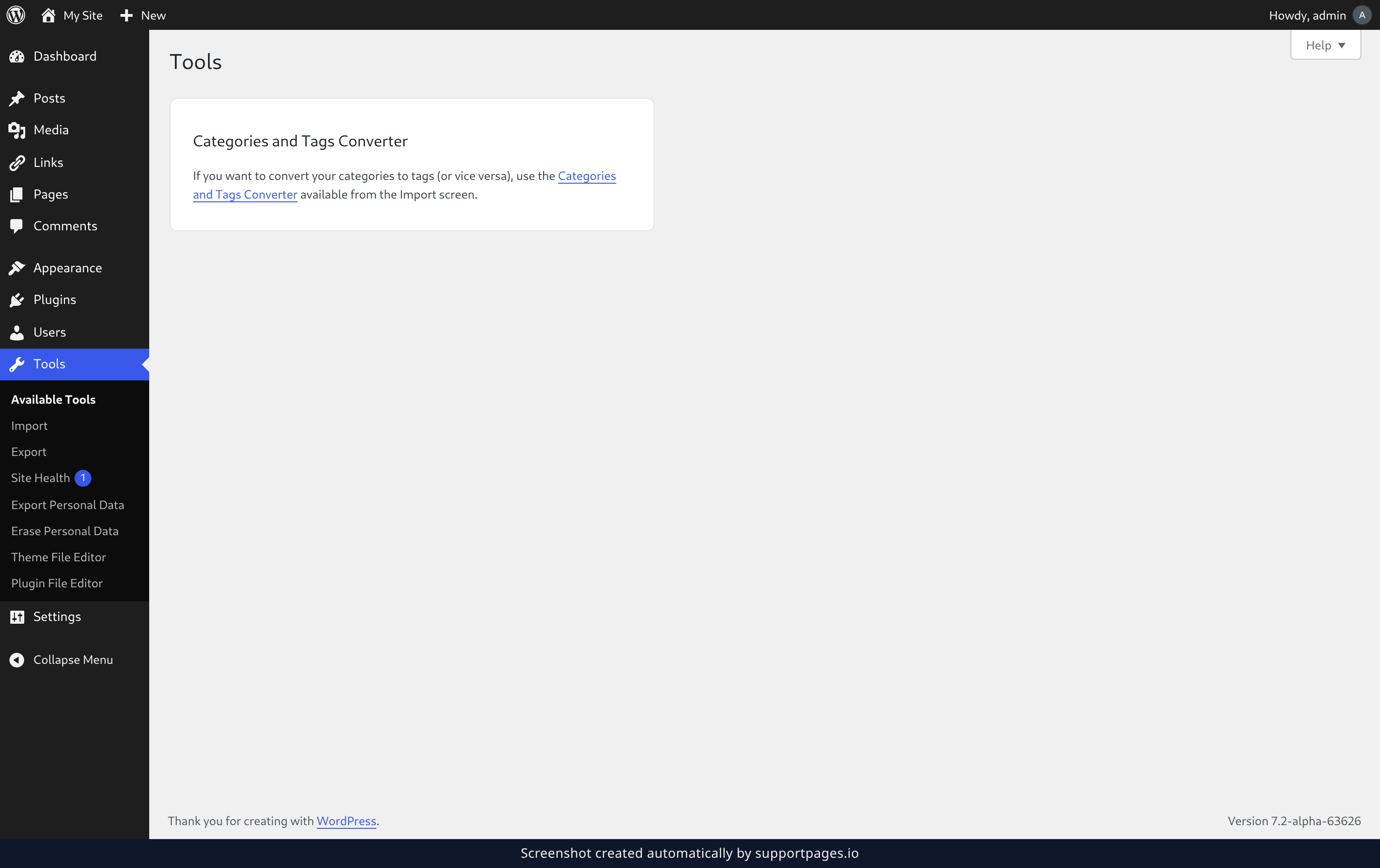
In the left-hand menu, open Tools and choose Site Health. The number beside it tells you how many issues are already waiting for you.
Read what the check found
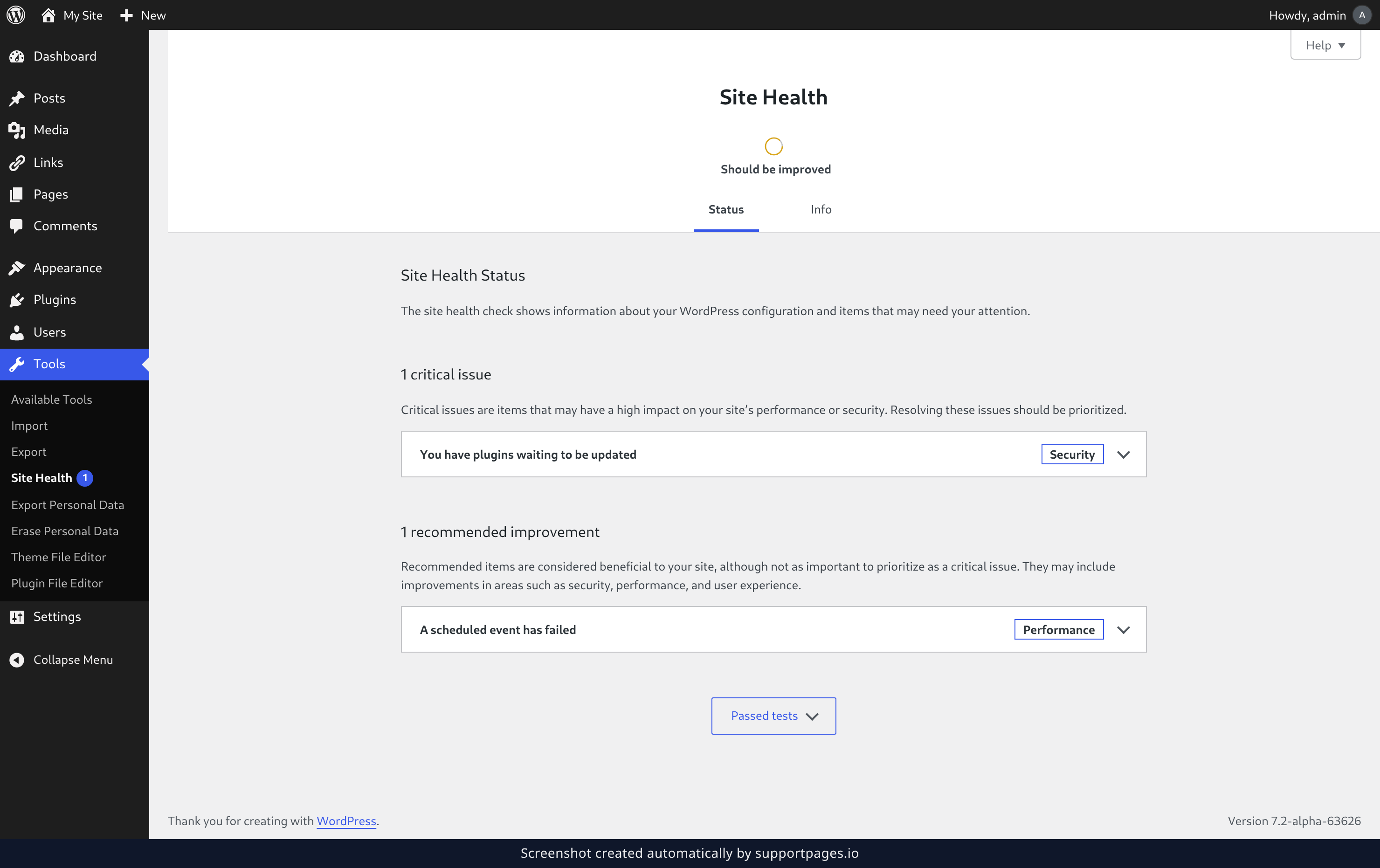
The Status tab opens first. The circle at the top is the short version: it reads Good when everything is fine, and Should be improved when something needs a look. Underneath it, critical issues come first because they are the ones most likely to affect how your site runs or how safe it is, and recommended improvements follow.
Open a test for the details
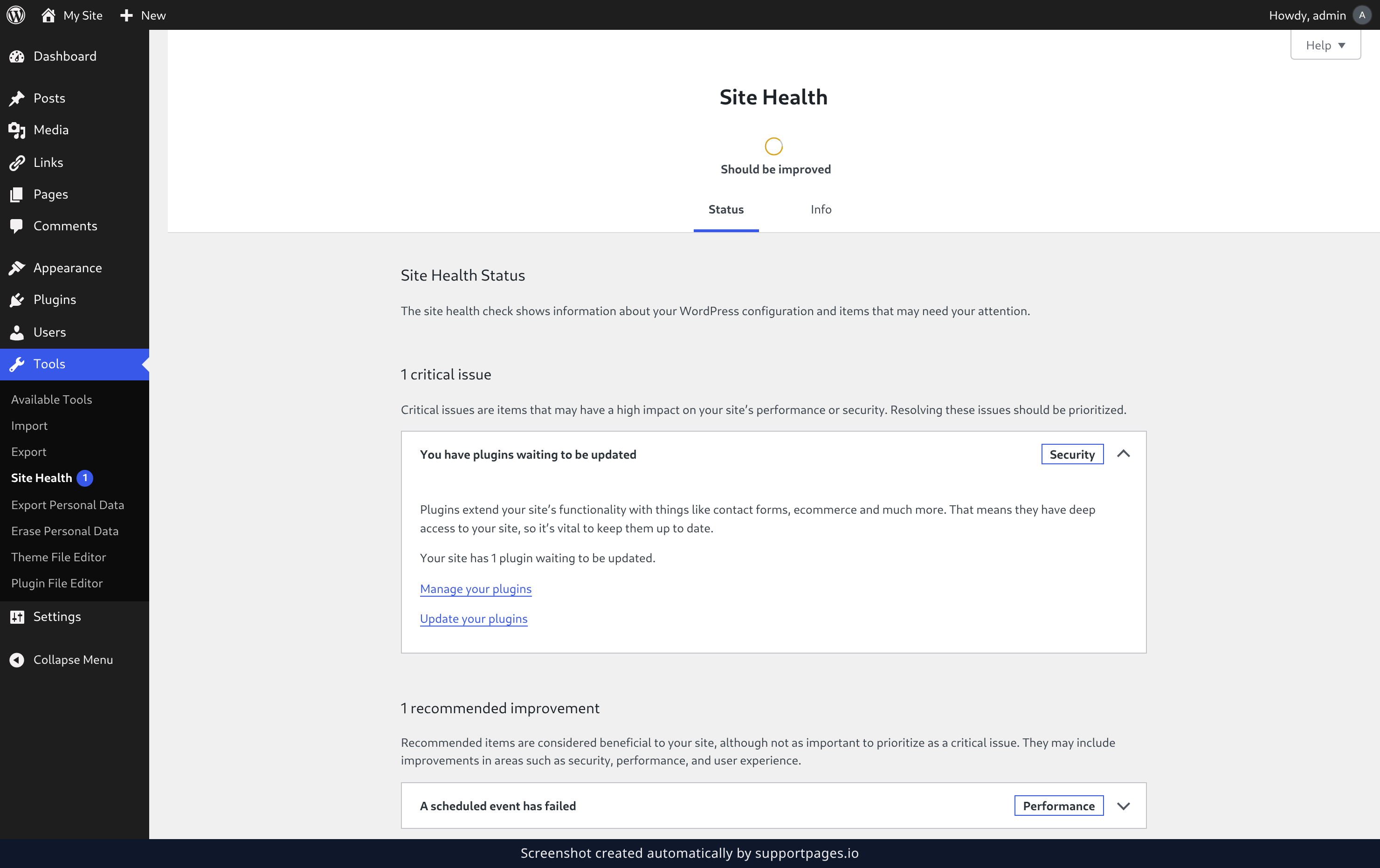
Click the name of any test to unfold it. Inside you will see what the check actually found, and where there is something you can do about it, a link that takes you straight there.
See the tests your site passed
Click Passed tests at the bottom of the page to reveal every check that came back clean. It is a handy way to confirm the parts of your site you do not need to think about.
Tips
- Work through the critical issues first — they are ranked ahead of everything else for a reason.
- The results are refreshed every time you load the page, so come back after you have made a fix to see it clear.
- The Info tab holds the full technical picture of your site, ready to copy and hand to your host if you ever need help.
Summary
Site Health gives you a plain-language read on your site in a couple of clicks: open Tools, then Site Health, deal with anything marked critical, and skim the recommended improvements. A few minutes here beats finding out the hard way.
Was this article helpful?
Written with supportpages.io. More on documentation automation on our blog.
Have a question?
Search our articles, or ask and get an answer straight away.