
How to leave a comment on a post
Updated about 1 month ago
Browse All
Commenting is the quickest way to join the conversation on a WordPress site. Scroll to the bottom of any post, fill in the form you find there, and your reply is on its way — though on some sites it appears only after a moderator has taken a look.
Before you start
- The post you want to comment on, open in your browser.
- Your name and email address — your email is never published.
Steps
Find the comment form
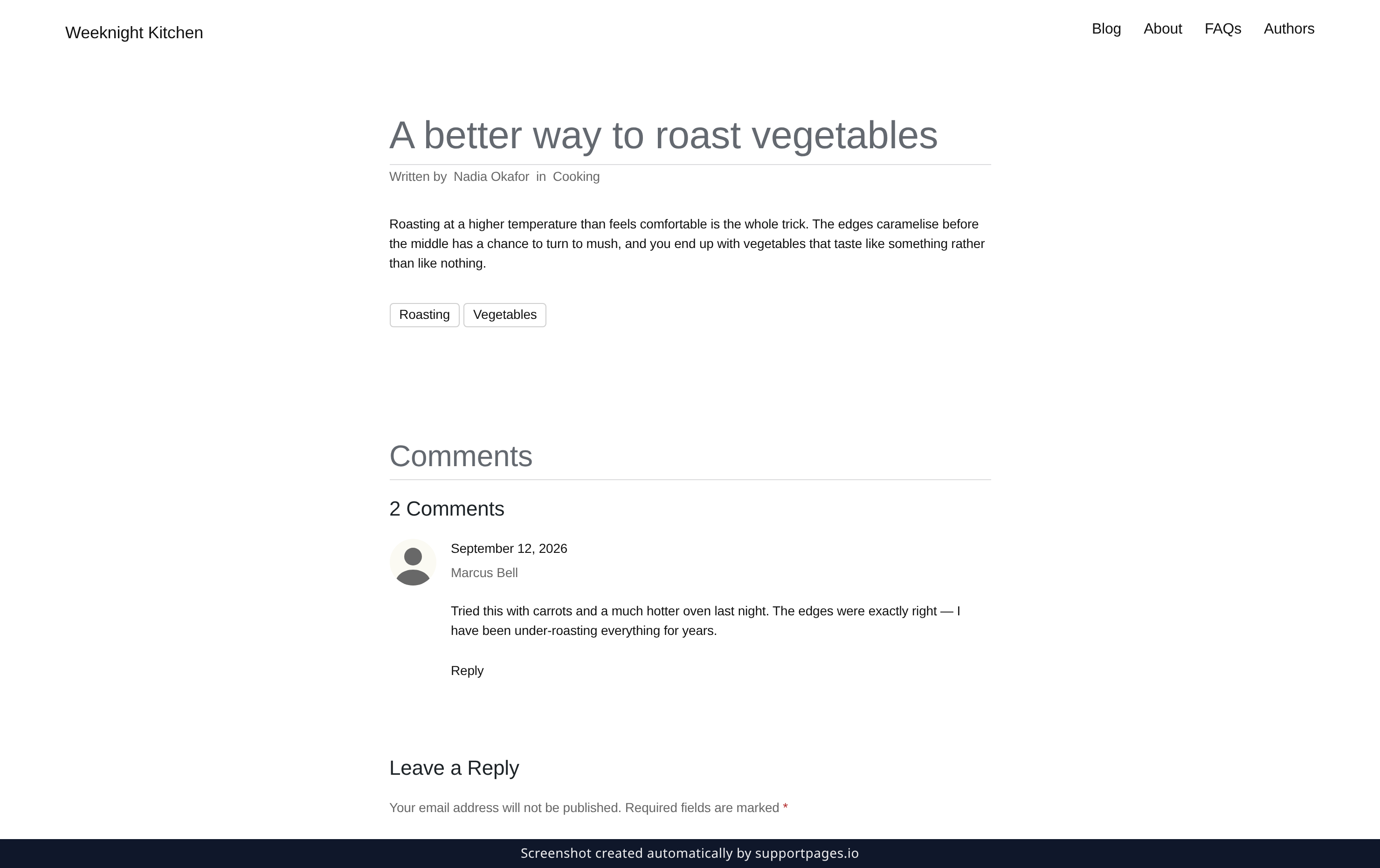
Open the post you want to reply to and scroll past the end of the article. A heading called Comments marks the conversation, and the Leave a Reply form sits below it.
Write and post your comment
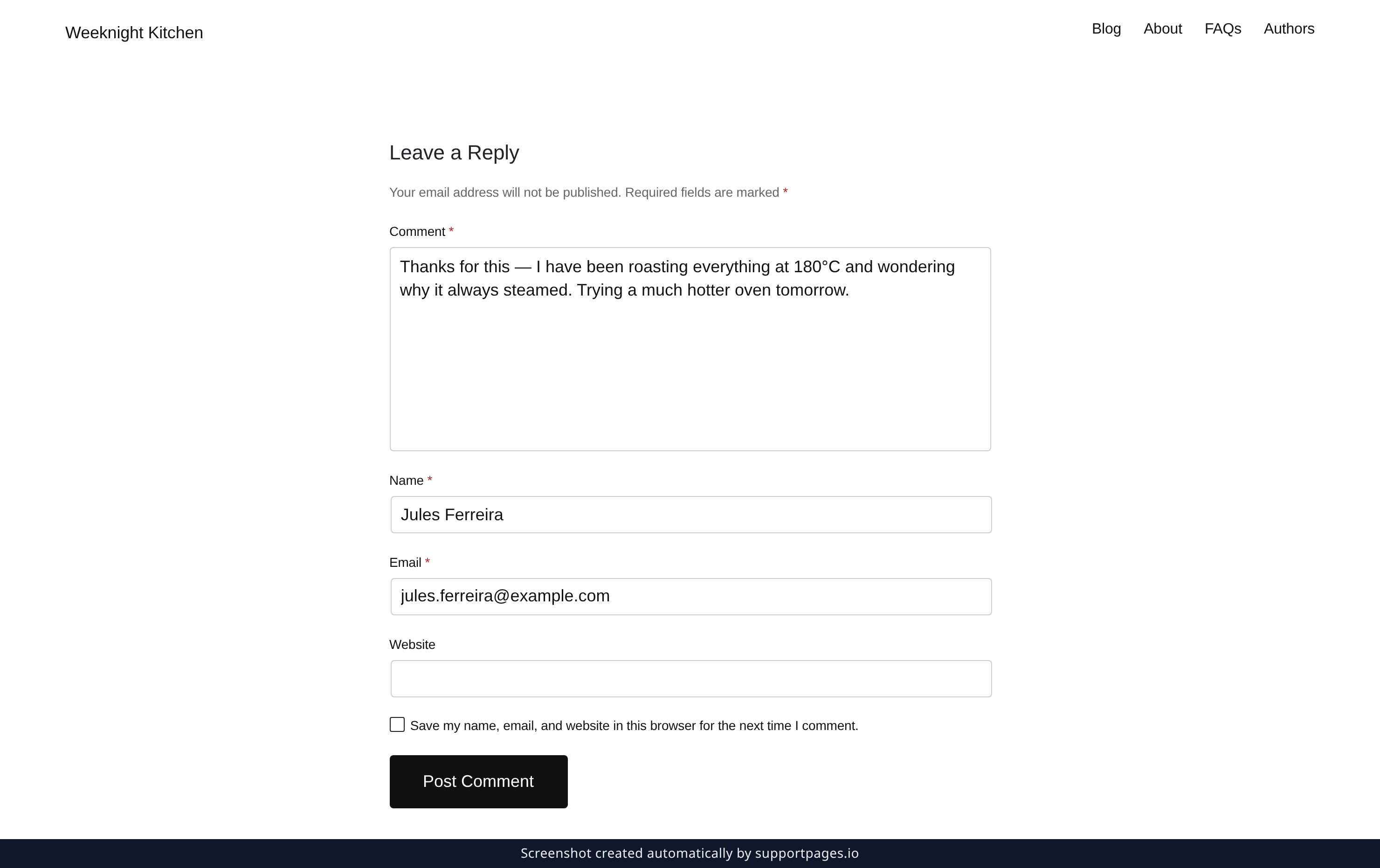
Click the Comment box and type what you want to say. Fill in Name and Email underneath — the fields marked with an asterisk are the ones you have to fill in, and Website is optional. When your comment reads the way you want, click Post Comment.
If your comment needs approval
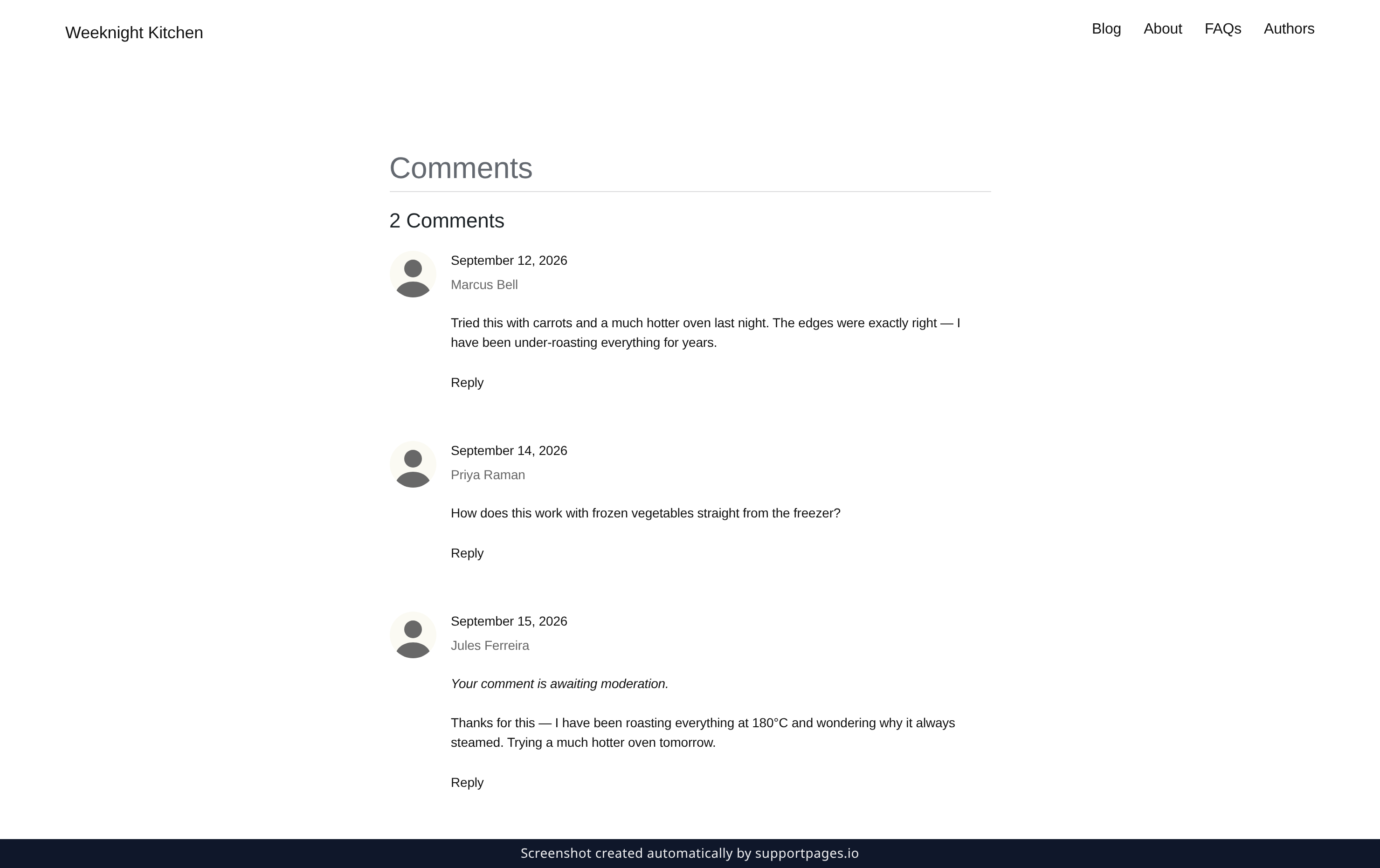
Some sites read comments before they go public. If that happens, your comment shows up in the list with the note Your comment is awaiting moderation. — you can see it, and it becomes visible to everyone else once a moderator approves it.
Good to know
- The checkbox under the form — Save my name, email, and website in this browser for the next time I comment. — remembers your details so you don't have to type them again.
- To answer one person rather than the whole post, use the Reply link under their comment and your reply appears nested beneath it.
- If you don't see your comment straight away, reload the page — pending comments are listed for you even before a moderator sees them.
Summary
Scroll to the bottom of the post, fill in the Leave a Reply form, and click Post Comment. If the site reviews comments first, your reply waits in the list with a note until it's approved.
Was this article helpful?
Kept in sync by supportpages.io — continuous documentation for your product.
Have a question?
Search our articles, or ask and get an answer straight away.