
How to control search engine visibility
Updated about 1 month ago
Browse All
While a site is still taking shape, you probably don't want half-finished pages turning up in Google. WordPress has a single setting for this, and you can flip it back the moment you're ready to launch.
Before you start
- You're signed in to your WordPress dashboard.
- Your account can manage site settings — administrators can.
Steps
Ask search engines to stay away
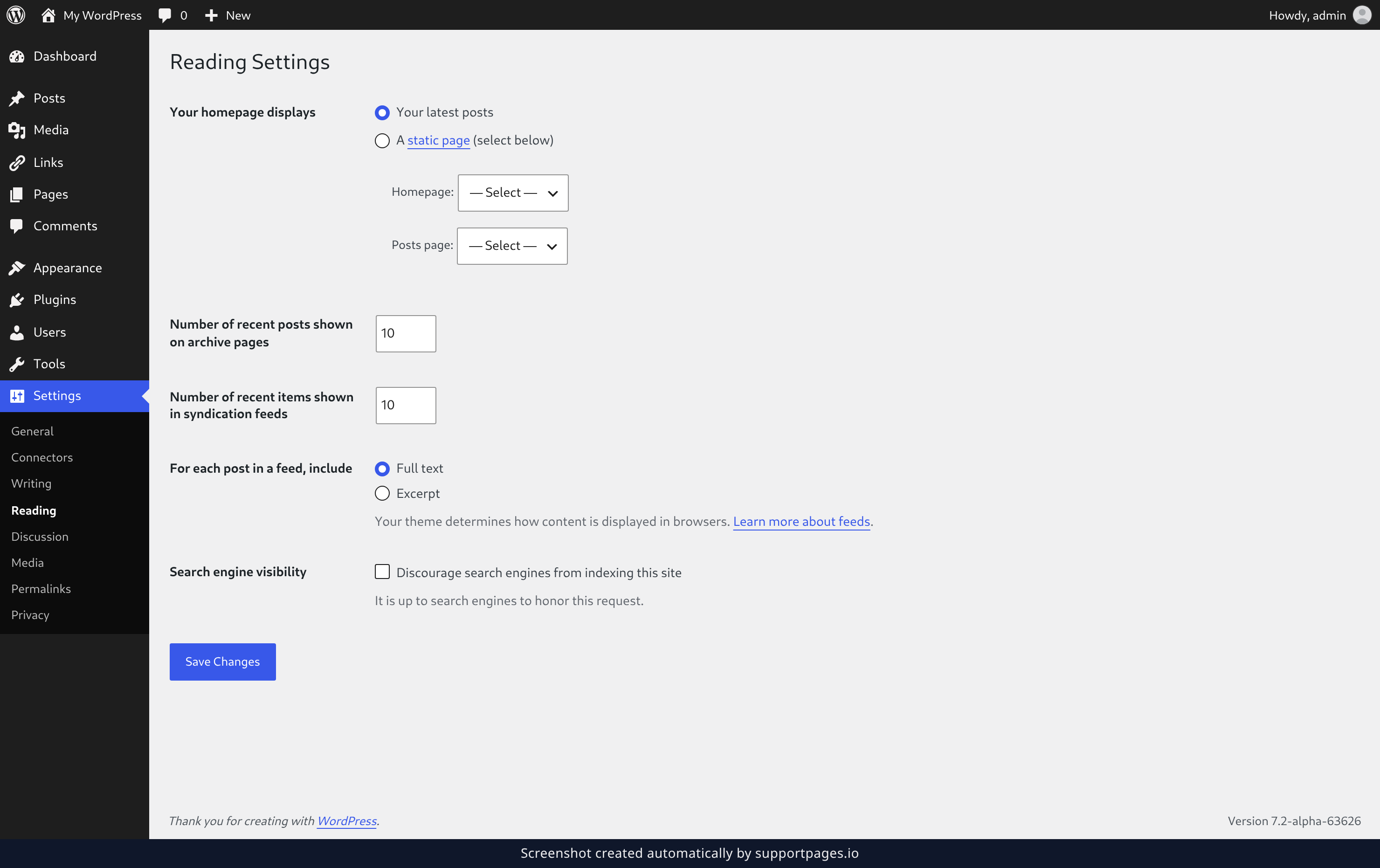
While your site is still taking shape, hover over Settings in the left-hand menu and click Reading. On that screen, scroll to the Search engine visibility section, tick Discourage search engines from indexing this site, and click Save Changes.
Welcome search engines back when you launch
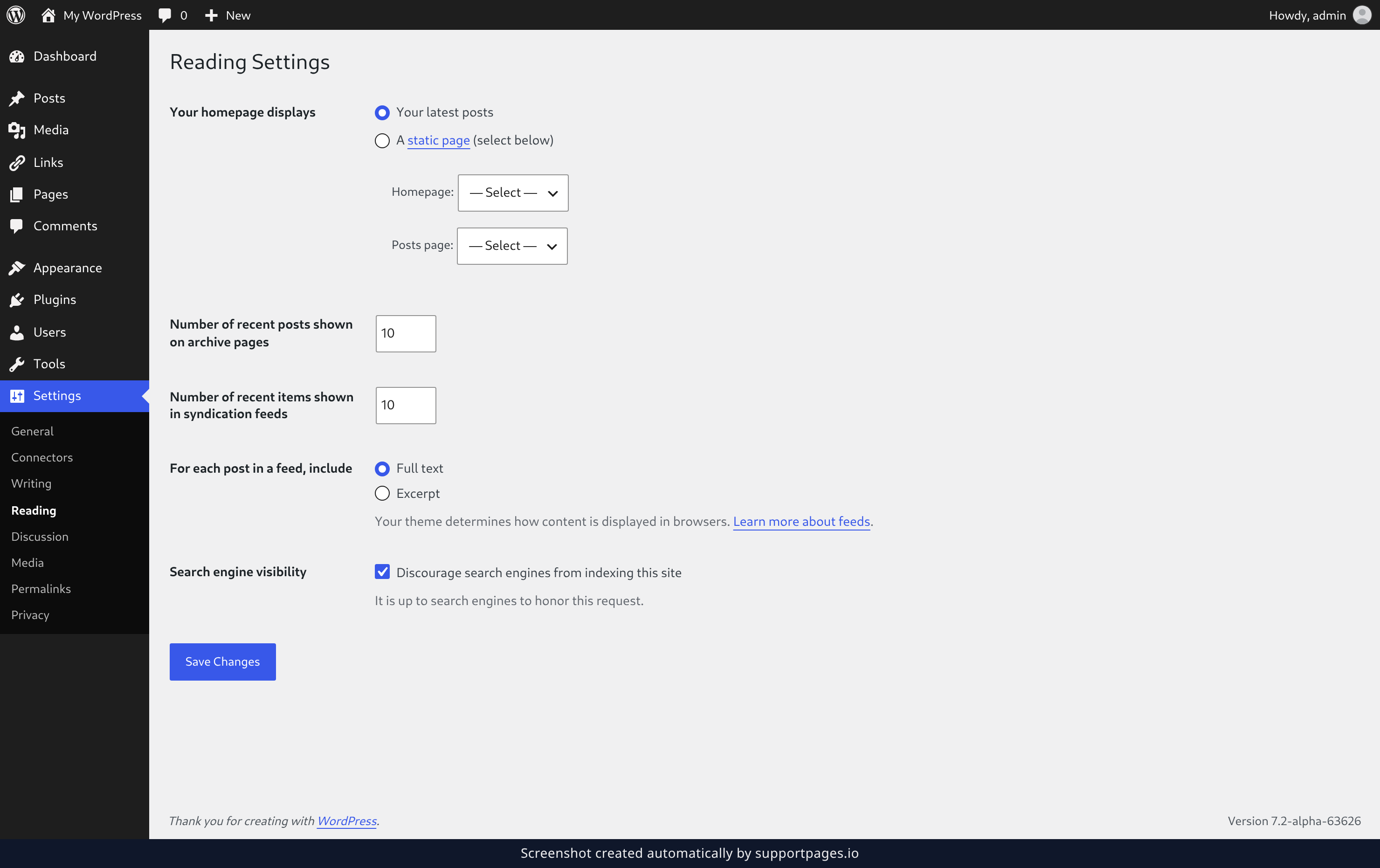
When your site is ready for visitors, come back to the same Reading screen and untick Discourage search engines from indexing this site. Click Save Changes, and search engines are free to index your site again.
Summary
One checkbox on the Reading settings screen keeps your unfinished site out of search results, and unticking it opens the door again. A "Search engines discouraged" note in the At a Glance box on your dashboard reminds you when the setting is on.
Was this article helpful?
Built with supportpages.io — an AI documentation generator.
Have a question?
Search our articles, or ask and get an answer straight away.