
How to tell other sites when you publish
Updated about 1 month ago
Browse All
When you publish a new post, WordPress can let other sites know about it for you. You set this up once, and every post you publish from then on gets announced.
Before you start
- An administrator account for your site
- Your site set to visible to search engines — this is the default
- The web addresses of any update services you want to notify
Steps
Open the Writing settings
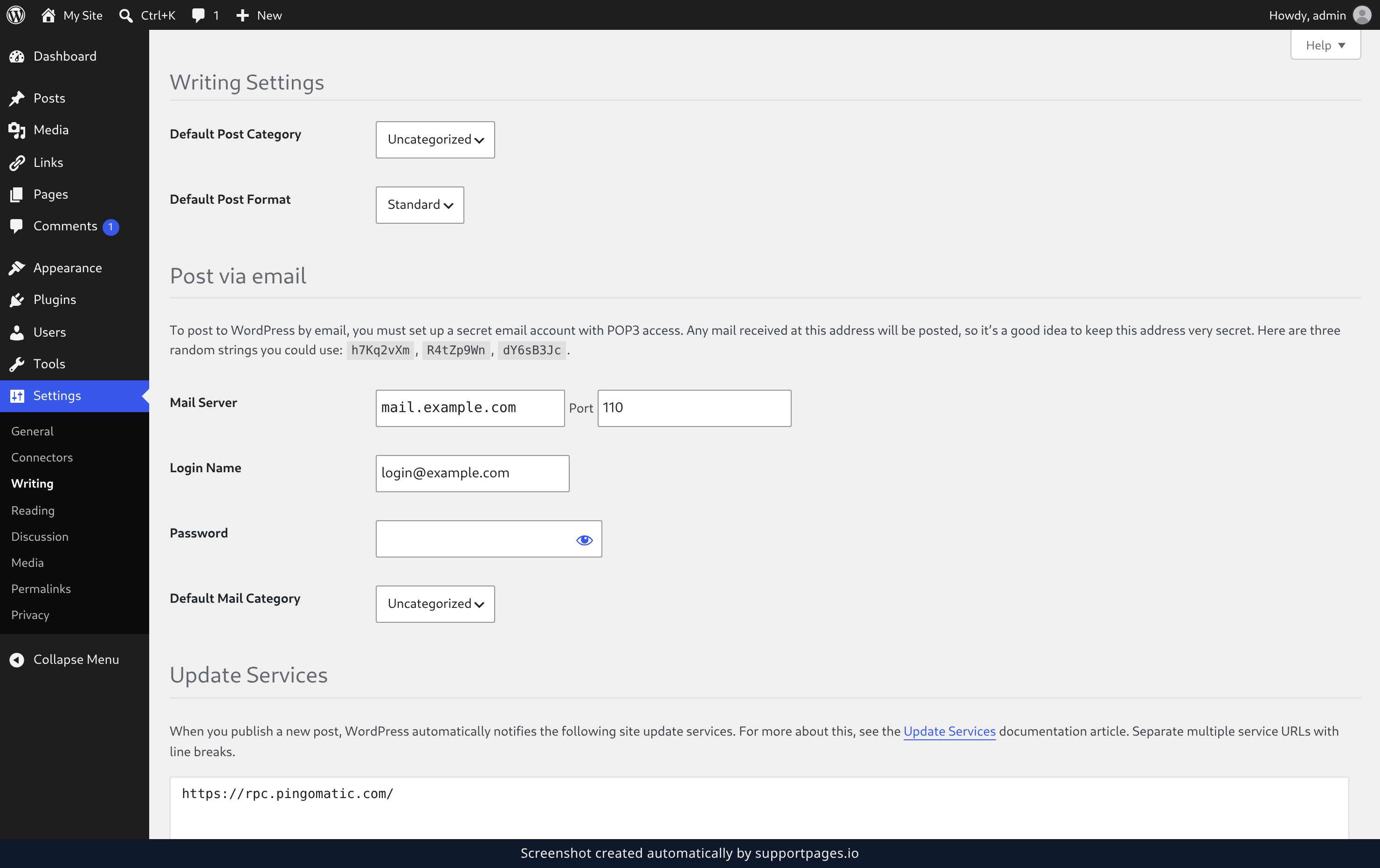
In the dashboard, click Settings, then click Writing. The Writing Settings screen opens.
Add your update services
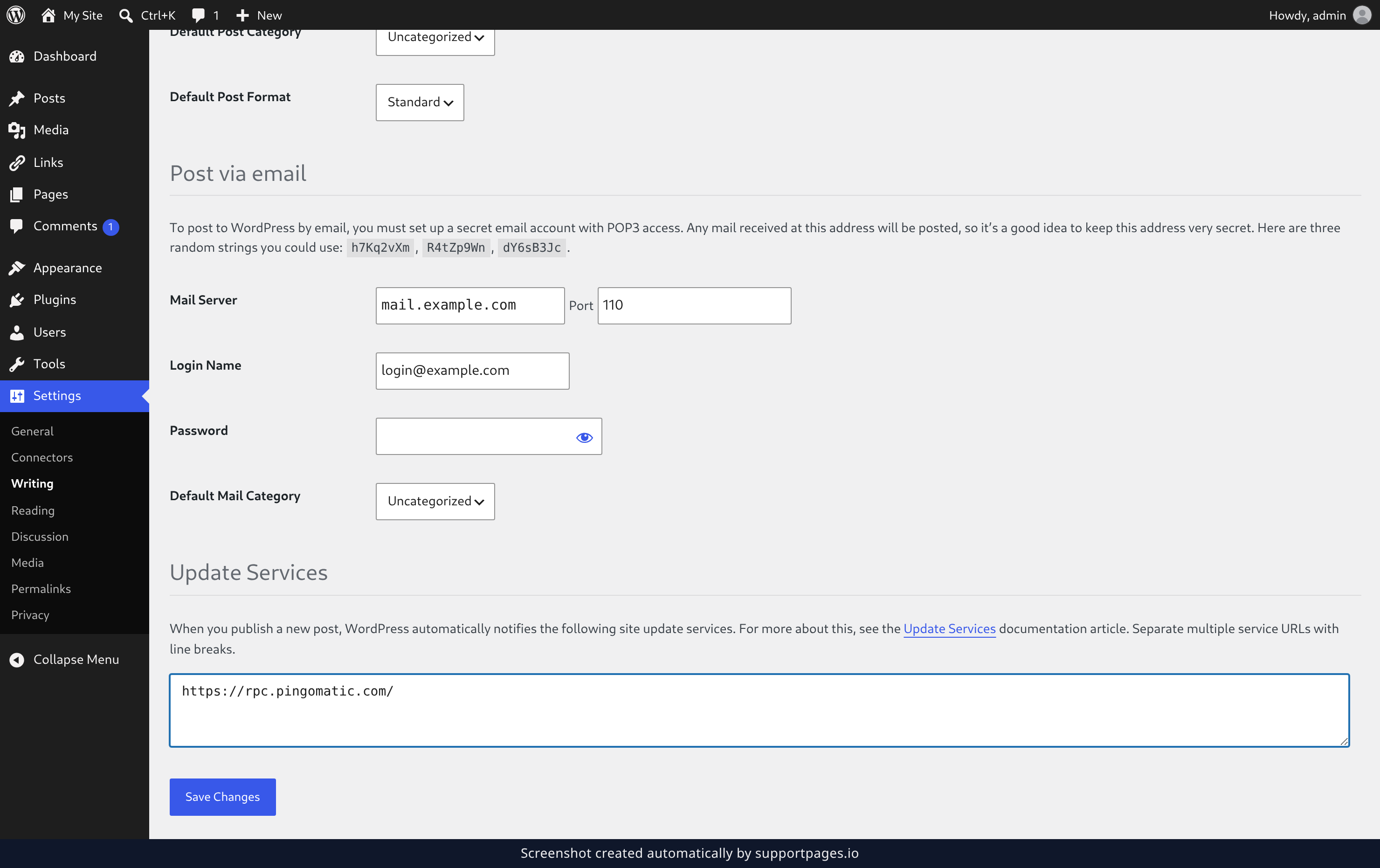
Scroll down to the Update Services section and type each service's web address on its own line. The box already has https://rpc.pingomatic.com/ in it — keep that line, or replace it with the services you want.
When the list looks right, click Save Changes at the bottom of the screen.
Which services should you add?
Ping-O-Matic is the one that comes filled in, and for most sites it's all you need — it passes your post along to a handful of popular search engines and directories.
If you use another update service, add its address on its own line underneath. You can edit the list as often as you like.
Tips
- Separate addresses with line breaks. Commas and spaces won't work.
- Changes take effect the next time you publish. Posts you've already published aren't sent again.
- Leave the box empty if you'd rather not notify anyone.
Summary
Fill in your update services once under Settings → Writing, and WordPress tells those sites every time you publish something new.
Was this article helpful?
Generated by supportpages.io, automating product documentation from your codebase.
Have a question?
Search our articles, or ask and get an answer straight away.