
How to choose a post format
Updated about 1 month ago
Browse All
A post format tells your theme what kind of post this is — a short note, a photo gallery, a quote — so it can style it differently. Choosing one takes a few clicks in the editor.
Prerequisites
- A post you can edit — a draft or one that's already published.
- A theme that supports post formats. Twenty Twenty-Five, the theme that ships with WordPress, supports them all.
- Permission to edit posts on the site.
Steps
Open the post you want to change
In the dashboard, click Posts in the left-hand menu. Then click the title of the post you want to change.
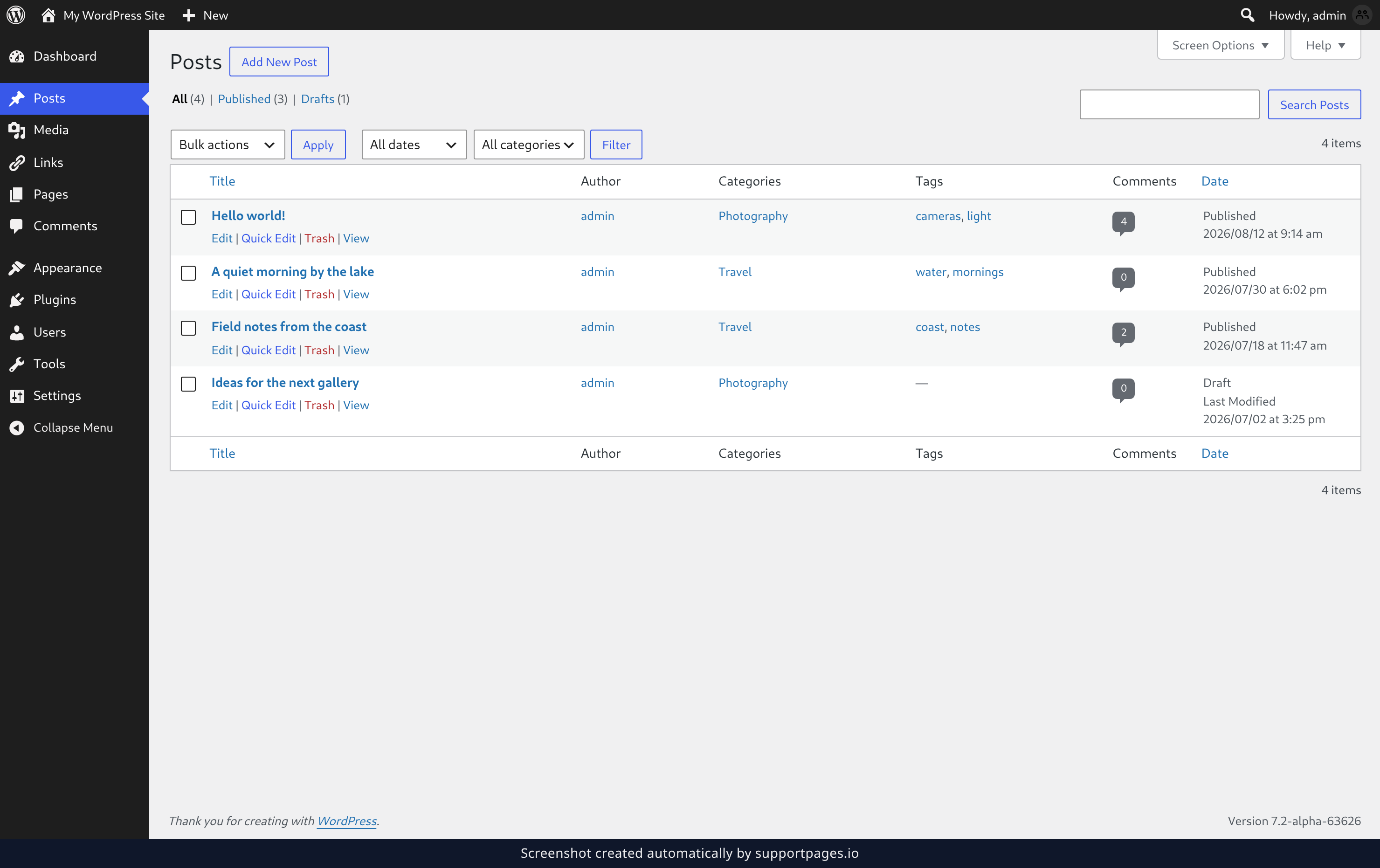
Find the Format setting
The editor opens with the settings panel on the right. Click the Format row — it shows Standard until you pick something else.
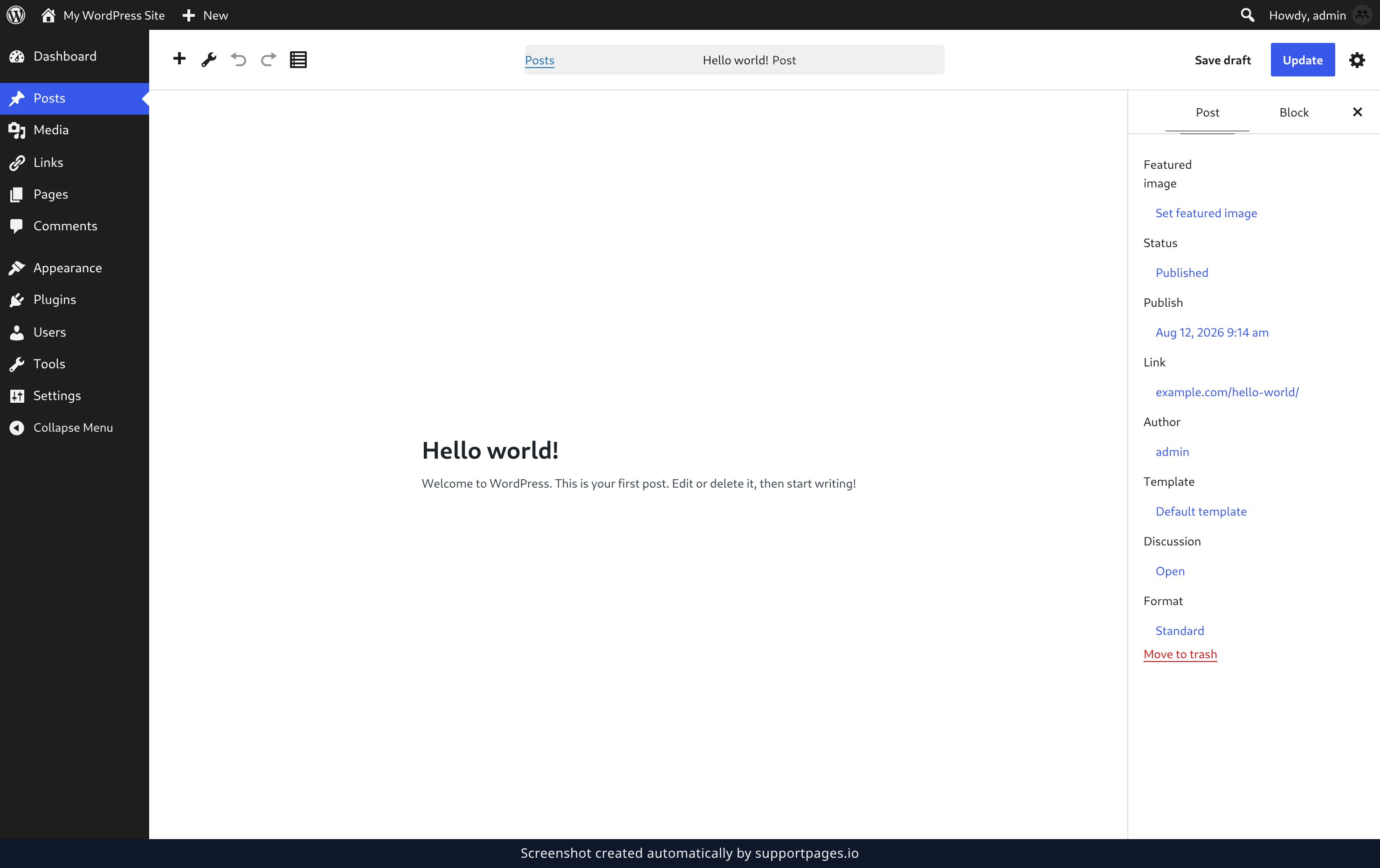
Pick a format
A list of formats appears beside the row. Choose the one that matches your post — Gallery for a set of photos, Aside for a short note, Quote for someone else's words. Your theme takes care of the styling from there.
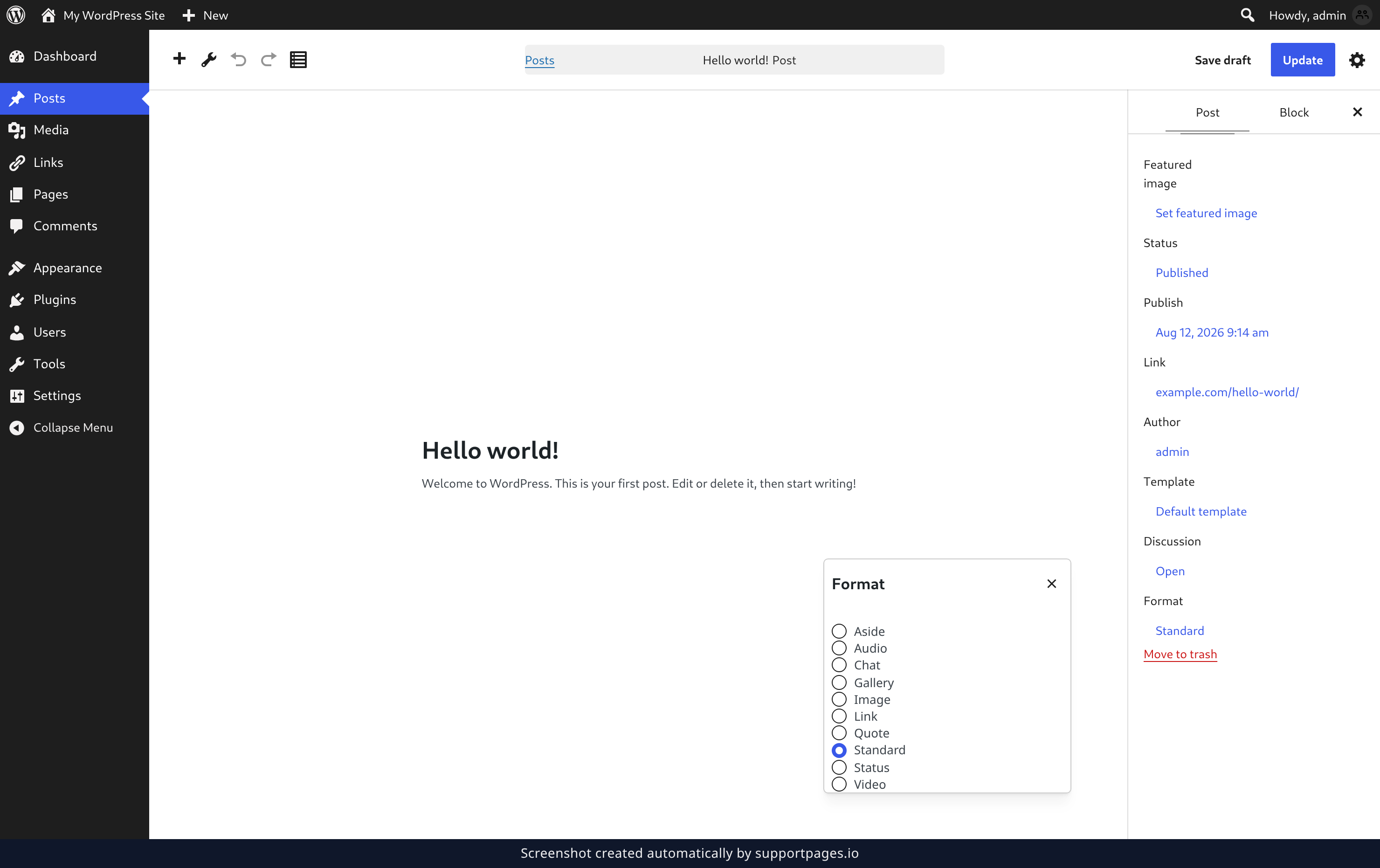
Save the post
Click Update at the top right of the editor. The format sticks, so you only need to set it once.
Tips
- Standard is the everyday format — no special styling. Use it when nothing else fits.
- Themes decide how each format looks, so on some sites two formats may appear almost the same.
- You can change or reset a post's format at any time by following these steps again.
Summary
Open your post, click the Format row in the settings panel, pick a format, and click Update. That's all there is to it.
Was this article helpful?
Generated by supportpages.io, an AI changelog generator for SaaS teams.
Have a question?
Search our articles, or ask and get an answer straight away.