
How to reply to a comment
Updated about 1 month ago
Browse All
A reply turns a one-way comment into a conversation. You can answer any reader without leaving the Comments screen, and your reply is posted to the site the moment you send it.
Before you start
- A WordPress account that can edit comments. Administrators and editors can always do this.
- The comment you want to answer. If you are not sure where it is, the Comments screen lists everything.
Steps
Open the comment and start your reply
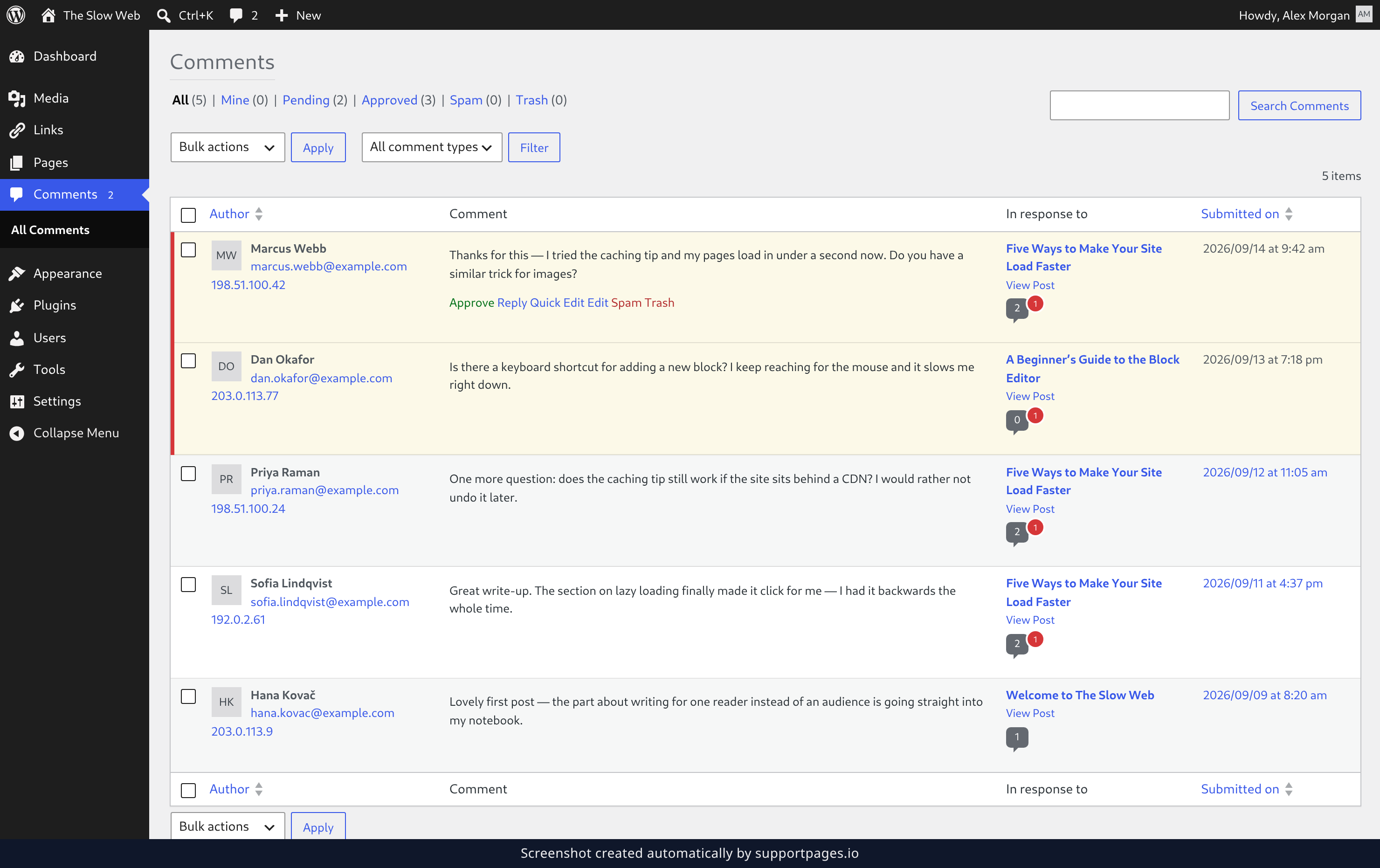
In the left-hand menu, click Comments. Every comment left on your site is listed here, newest first. Point at the comment you want to answer, and a row of links appears underneath it — click Reply.
Write your reply
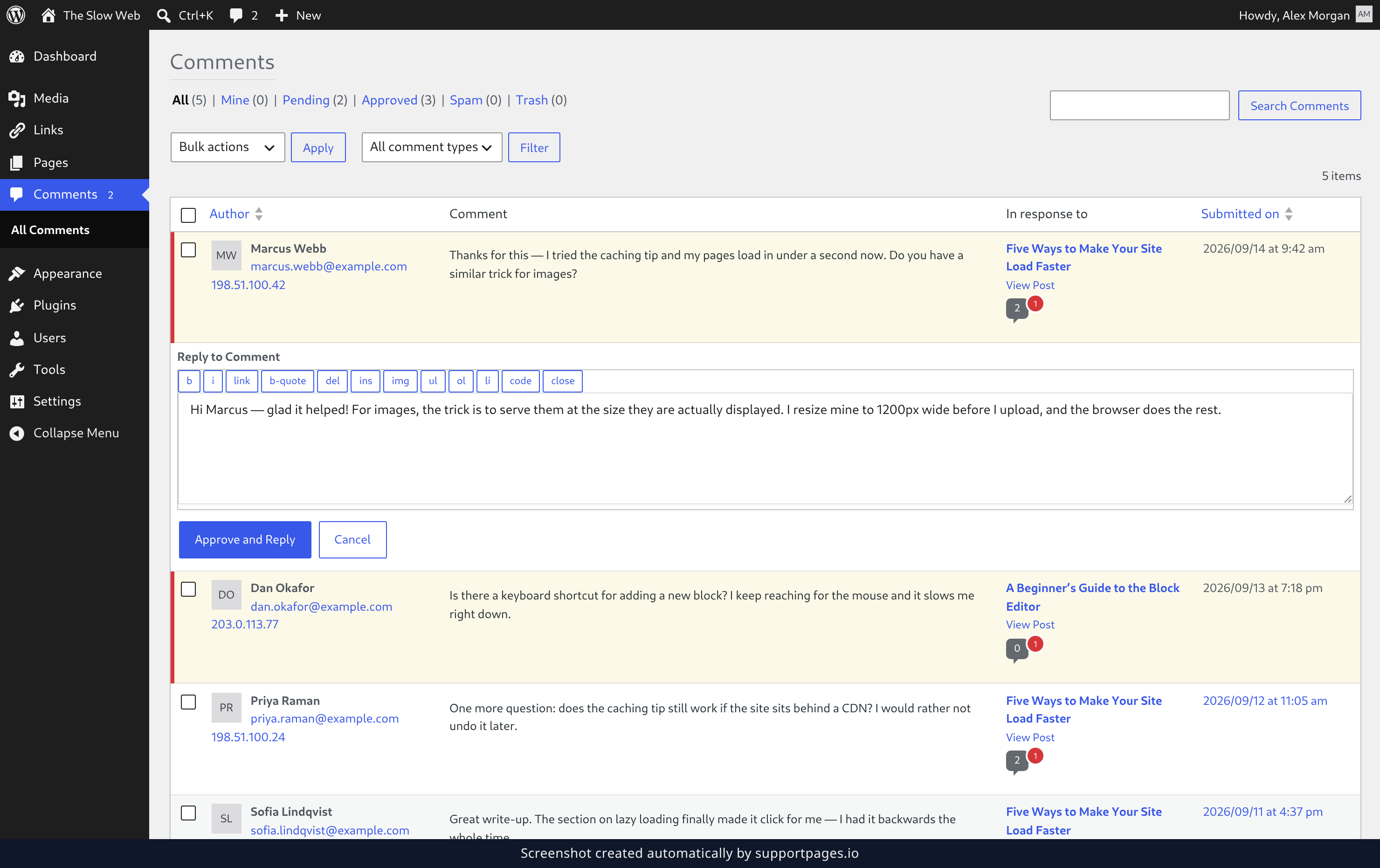
The reply box opens right below the comment, so you can still see what you are answering. Type your message into it — it works like the post editor, so you can add a link or make text bold from the toolbar if you want to. When you are happy with it, click Approve and Reply.
Check that it landed
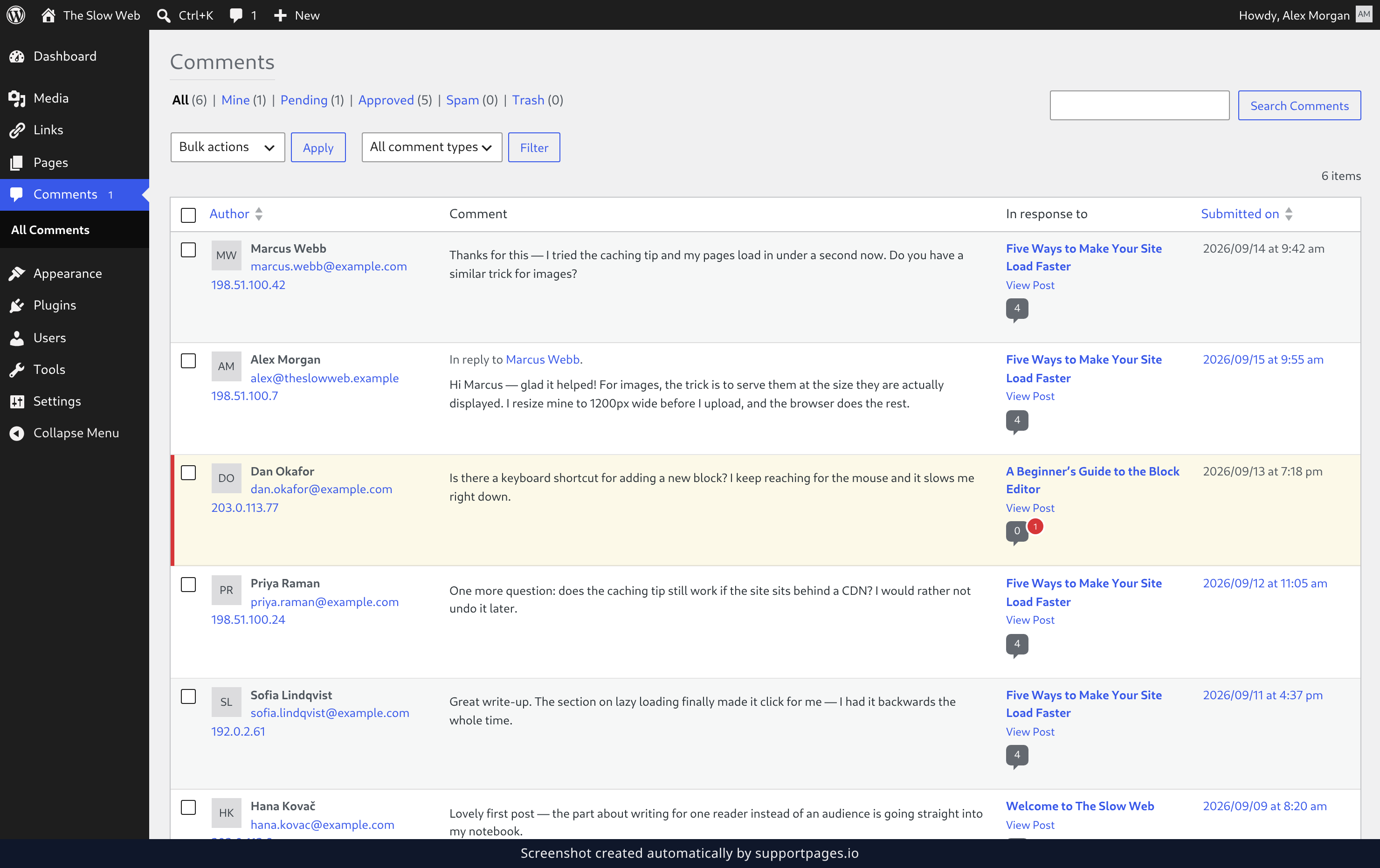
Your reply now has its own row in the list, directly under the comment it answers. The line above the message links back to that comment, so you can always tell which conversation it belongs to.
Tips
- If the comment was still waiting for approval, the send button says Approve and Reply — one click answers the reader and puts their comment on the site.
- Need to fix a typo afterwards? Point at your reply and click Edit — the same box opens with your text in it.
- Answering a long thread? Reply to the newest comment in it, and mark the ones you have dealt with as Approved.
Summary
Open Comments, point at the comment, click Reply, type your message, and click Approve and Reply. Your reply appears in the list right away and shows up on the site under the reader's comment.
Was this article helpful?
Built with supportpages.io, a help centre generator for developers — written from your codebase.
Have a question?
Search our articles, or ask and get an answer straight away.