
How to set who can see a post
Updated about 1 month ago
Browse All
Not every post is meant for everyone. WordPress lets you make a post public, keep it private to your site's team, or lock it behind a password you share yourself — and you choose which one before the post goes live.
Before you start
- A post open in the editor, ready to publish.
- A password in mind, if you'd rather protect the post than hide it.
Steps
Open the post's status settings
Open the post in the editor. If the sidebar isn't showing, click Settings in the top right corner. In the Post tab, find the Status row and click it to open the Status & visibility panel.
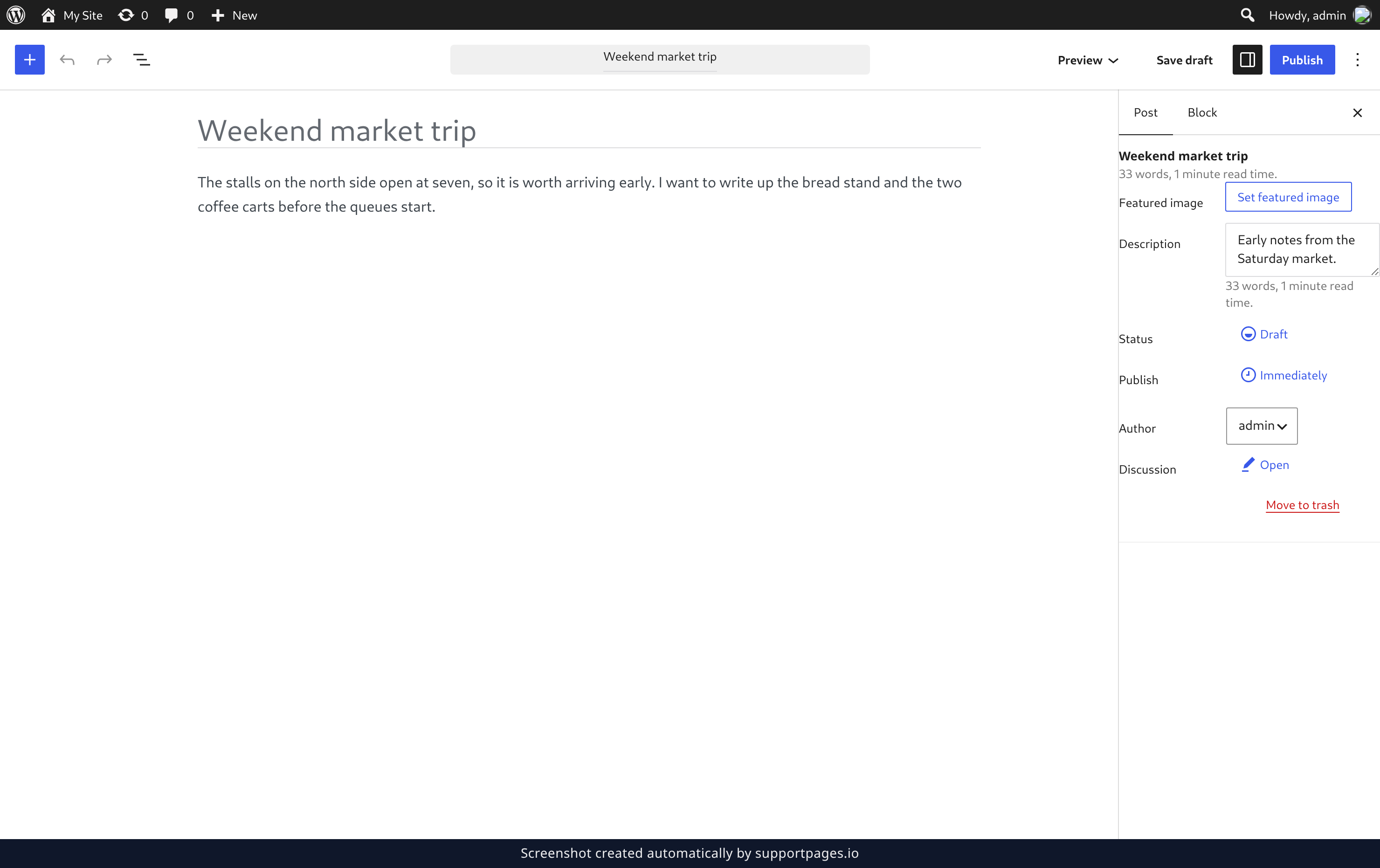
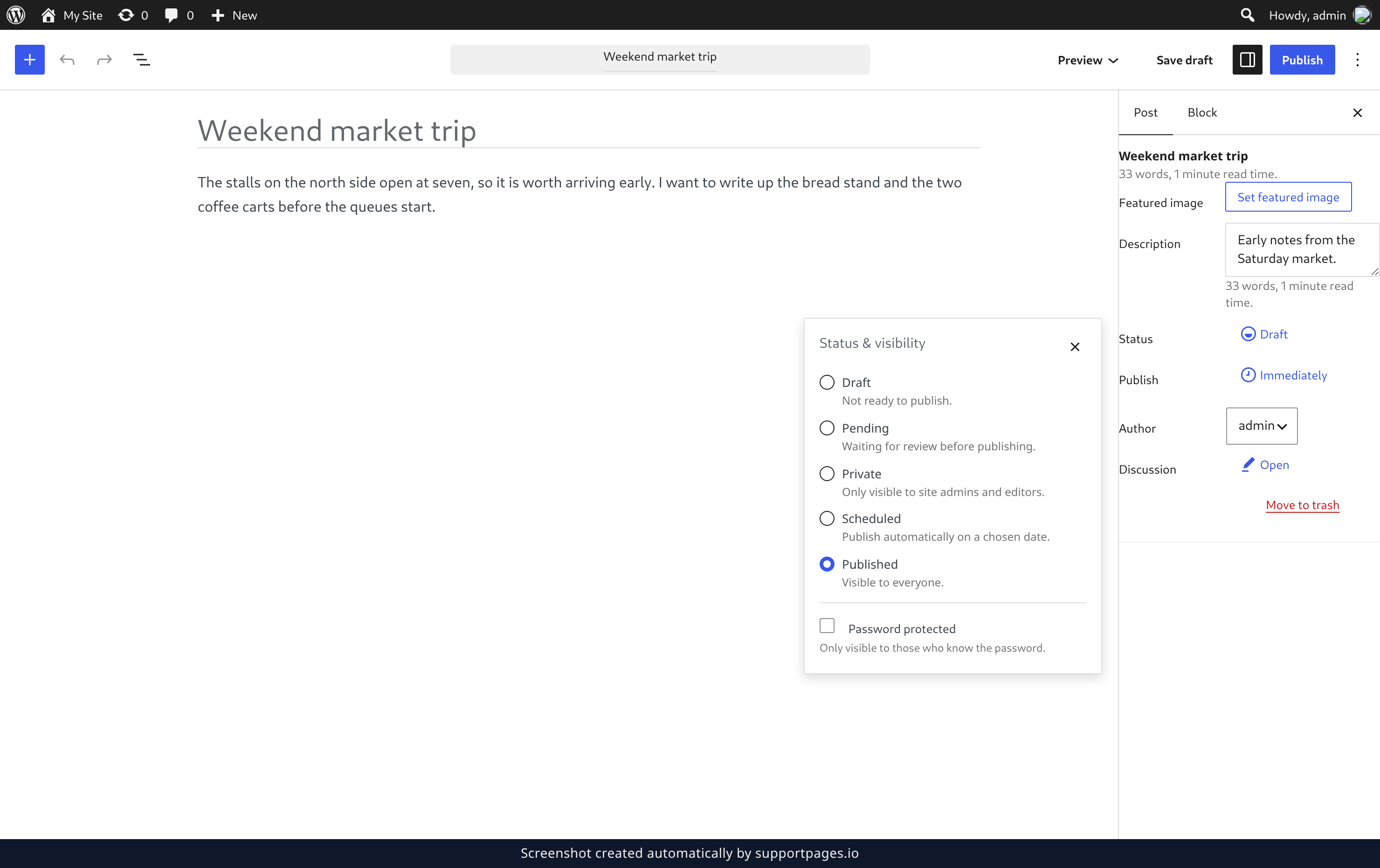
Choose who can see the post
Pick Private to keep the post to you and your site's admins and editors. Leave the status on Published if the post should be open to everyone.
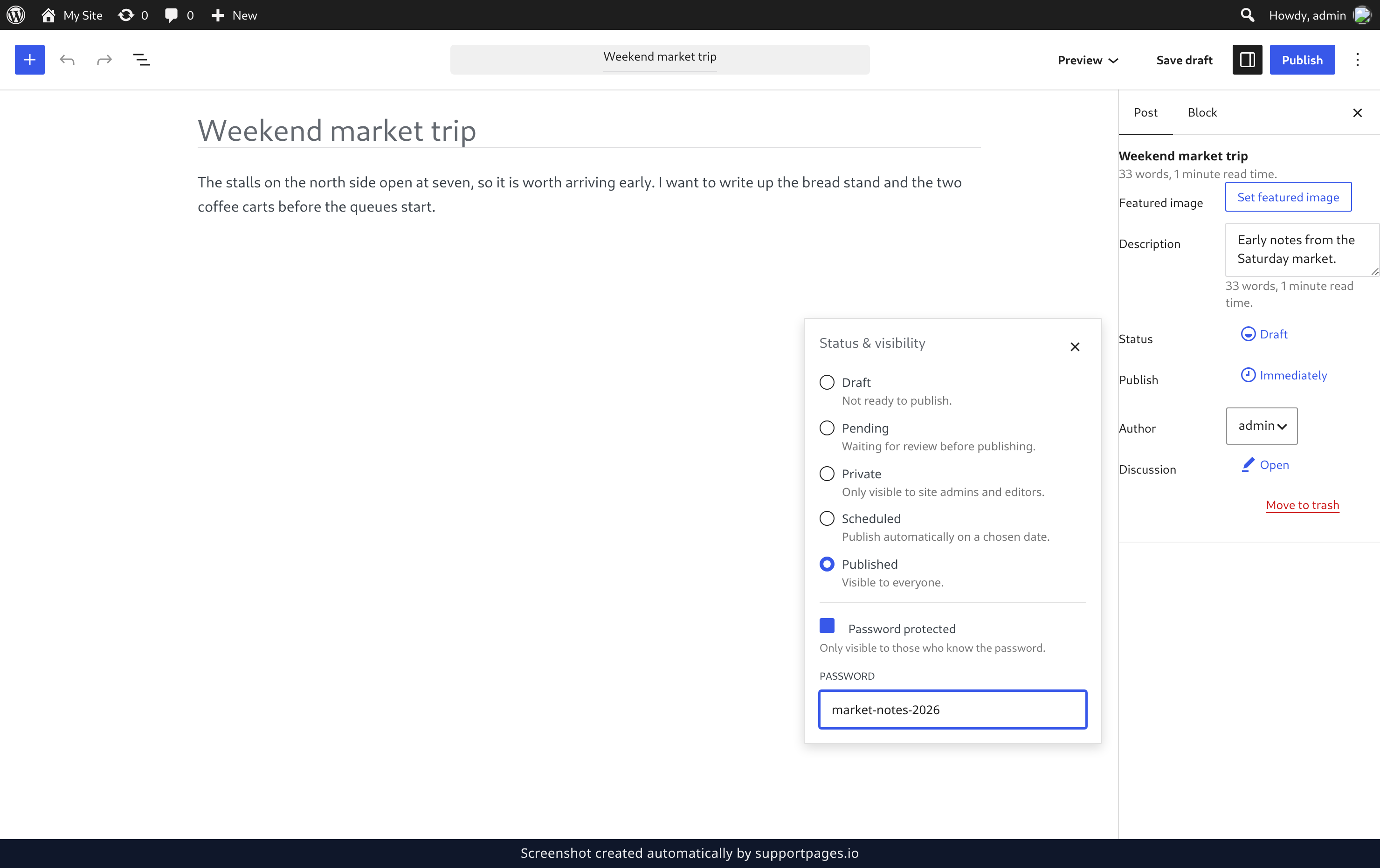
Or protect it with a password
If you want the post to stay in your site's list but only open for people you tell, tick Password protected, then type your chosen password into the Password field. Readers will need that password before they can see the post.
Publish the post
Click Publish in the top right of the editor. Your choice is saved along with the post, so it stays exactly as you set it.
Tips
- You can change a post's visibility at any time — set it back to Published and it becomes public again.
- Private hides the post from visitors completely. Password protected keeps it in your site's list of posts, but nobody sees the content until they enter the password.
- Choosing Private clears any password you've set, so pick one or the other rather than both.
Summary
The Status & visibility panel is where a post's audience is decided. Set it to Published, Private, or Password protected, then publish the post and you're done.
Was this article helpful?
Built with supportpages.io, a help centre generator for developers — written from your codebase.
Have a question?
Search our articles, or ask and get an answer straight away.