
How to edit a comment
Updated about 1 month ago
Browse All
Typos happen, and sometimes a comment lands on your site that you would rather clean up. You can fix it right in your dashboard — the comment keeps its place in the conversation, so you never have to delete it and start over.
Before you start
- You are signed in to your dashboard with an account that is allowed to moderate comments.
- The comment you want to change is not in the Trash.
Steps
Open the Comments screen
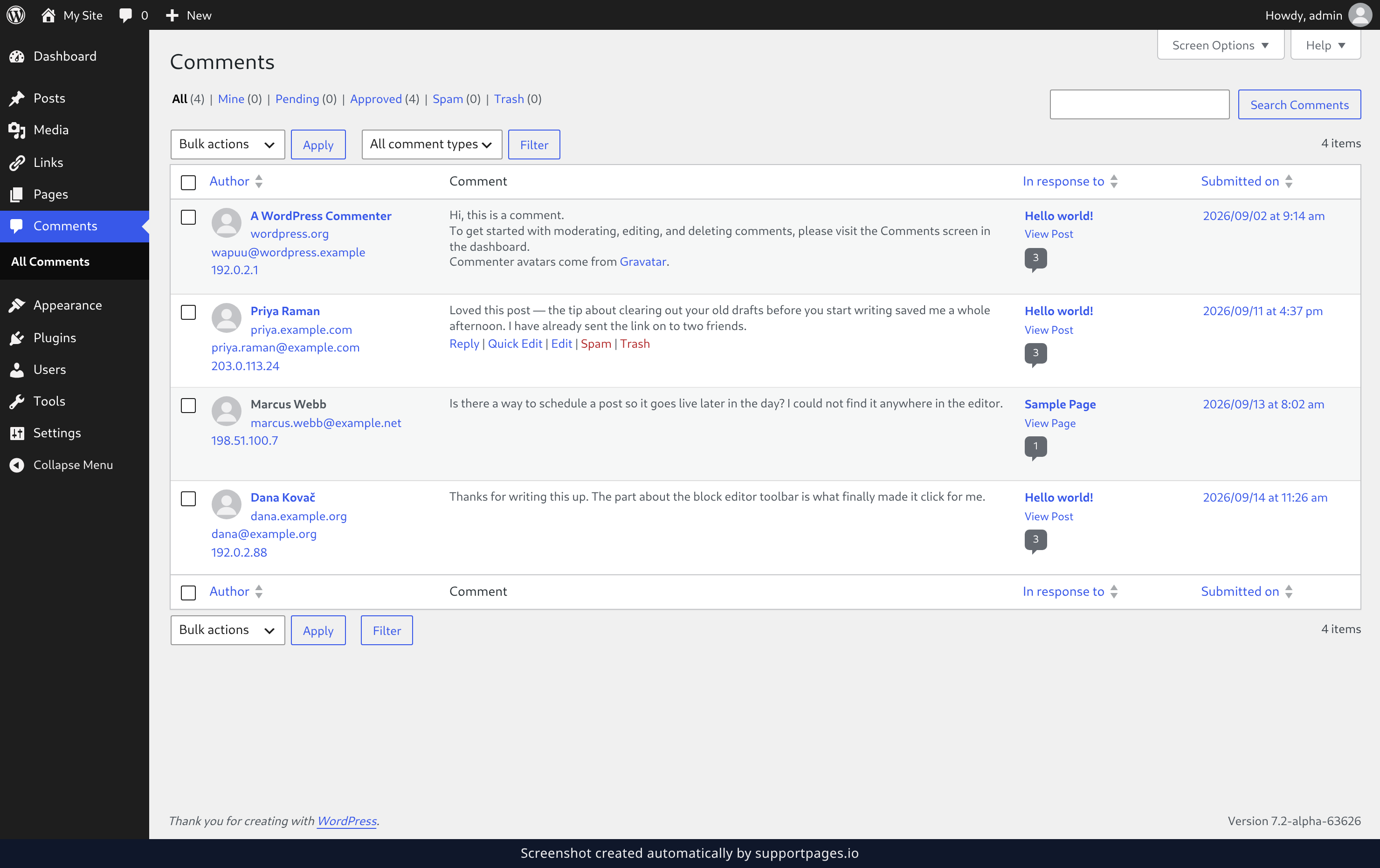
In the left-hand menu of your dashboard, click Comments. You will see every comment your site has received, with the newest ones at the top.
Find the comment and open it
Hover over the comment you want to change and click Edit. The Edit Comment screen opens with that comment loaded and ready to change. If you are not sure it is the right one, the text you see here is exactly what is on your site.
Make your change
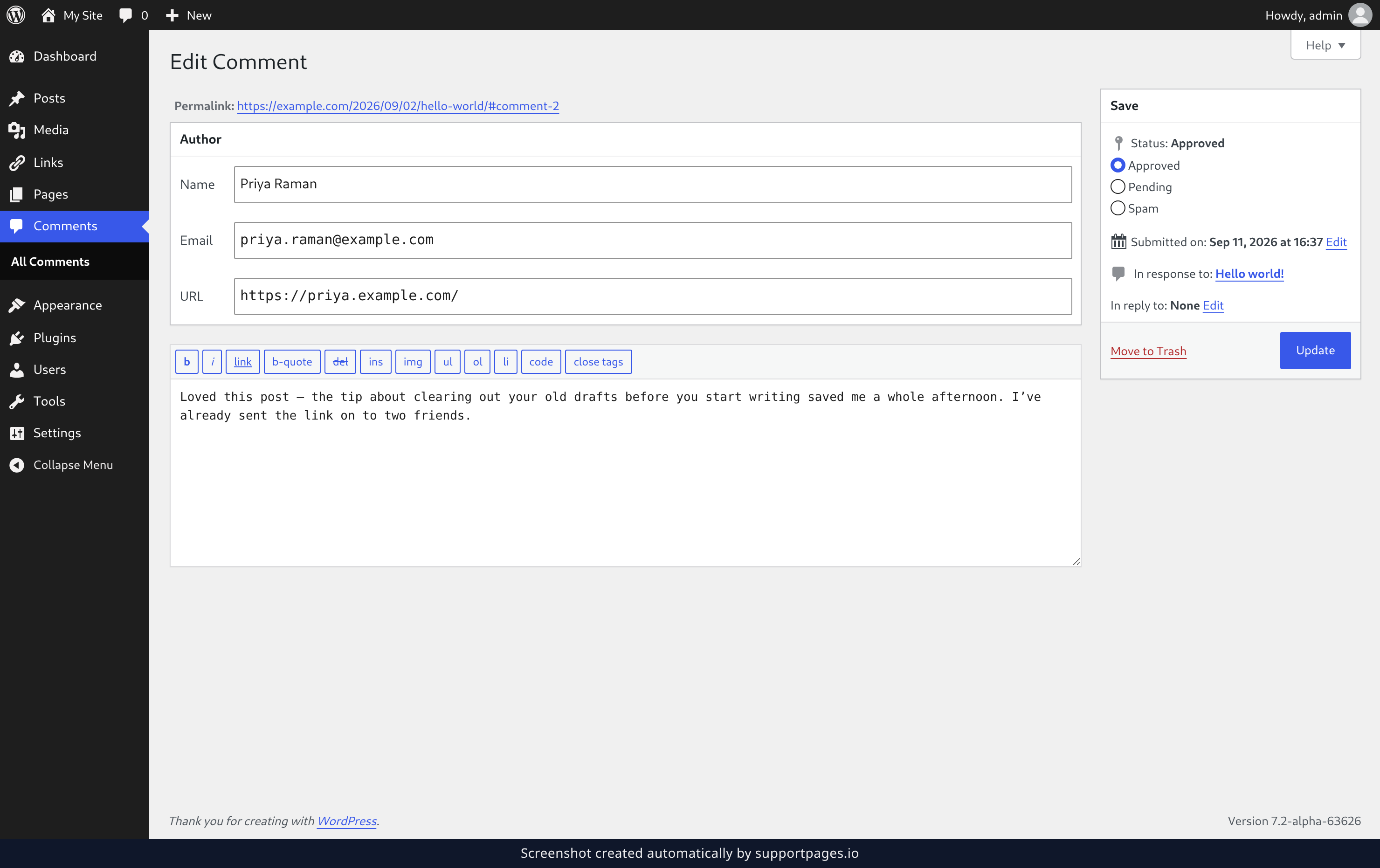
Click into the comment box and edit the text — fix the typo, reword a sentence, or take out something that should not be there. While you are here you can also tidy up the commenter's Name, Email, or URL in the Author box above the comment.
Save your changes
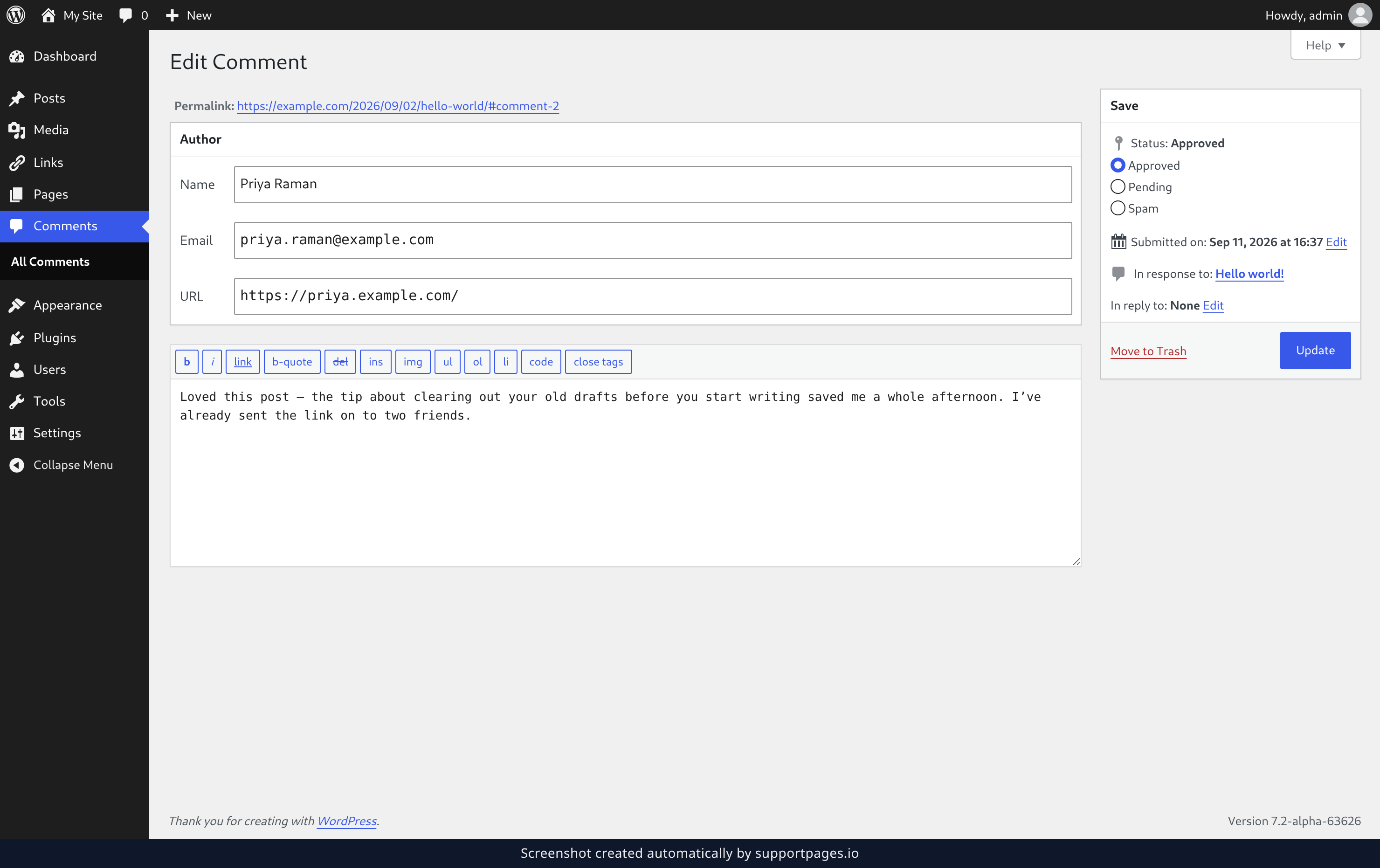
Click Update on the right to save. The edited comment goes live on your site straight away.
Tips
- Only the words change — the comment stays in the same spot in the thread, and any replies under it are untouched.
- The Save box on the right shows In response to, so you can confirm which post the comment belongs to, and Submitted on, so you can see when it arrived.
- If the comment should not be on your site at all, Move to Trash is the link right next to Update.
Summary
You have edited a comment in place and saved it. The fix is live on your site, and the conversation around it is exactly as it was.
Was this article helpful?
Built with supportpages.io — SaaS documentation software.
Have a question?
Search our articles, or ask and get an answer straight away.