
How to manage your blogroll links
Updated about 1 month ago
Browse All
Your blogroll is the short list of sites you want to share with your readers, and WordPress keeps every one of them in the same place. This guide walks you through adding a site, putting it in a group, and deciding how it behaves when someone clicks it.
Before you start
- A WordPress account with permission to manage the site's links.
-
The web address of each site you want to add, in full — including
https://.
Steps
Open your blogroll
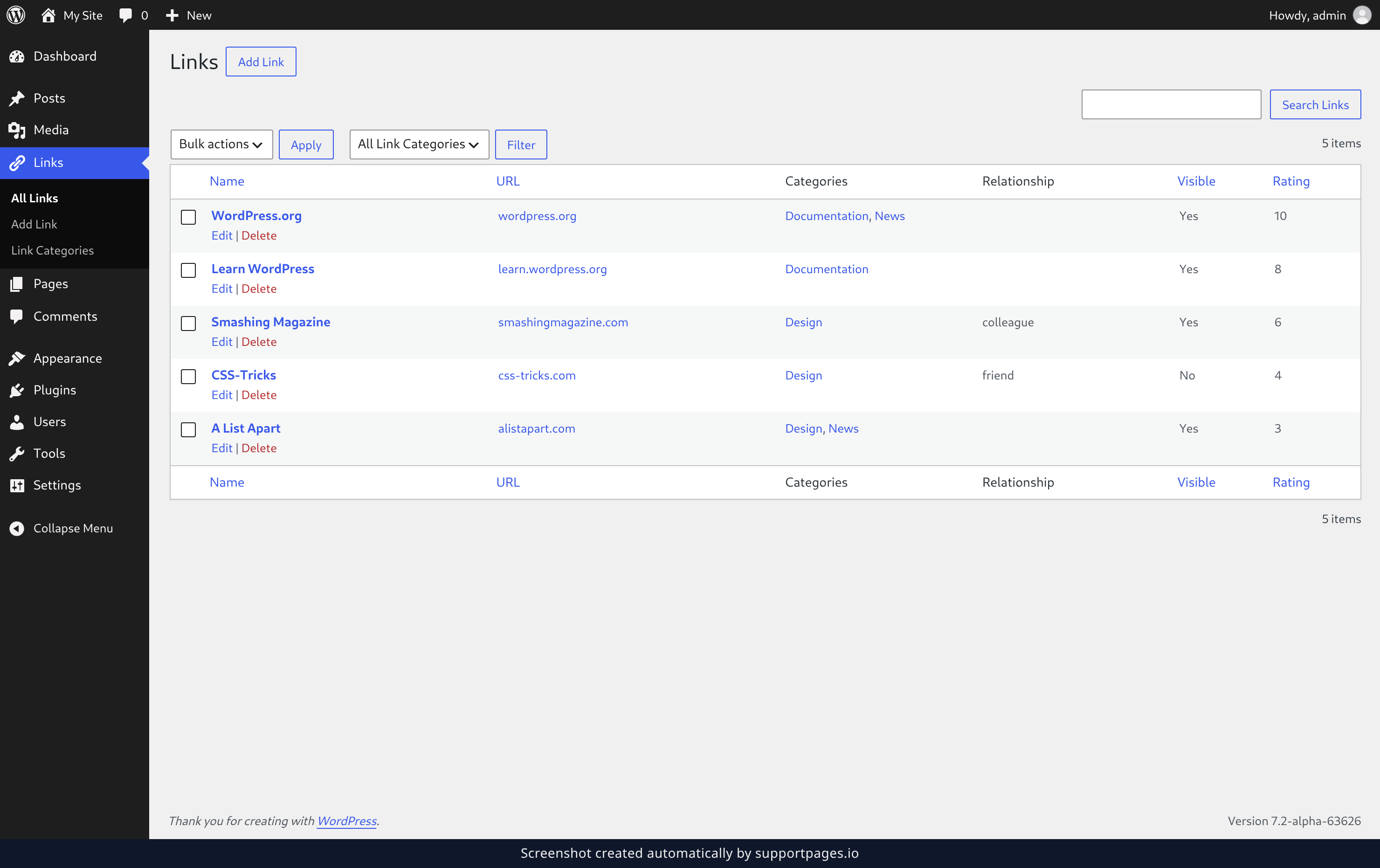
In your dashboard, choose Links in the left-hand menu, then All Links. Everything you've saved so far is listed here, along with the groups each link belongs to and whether it's visible on your site.
Add a link
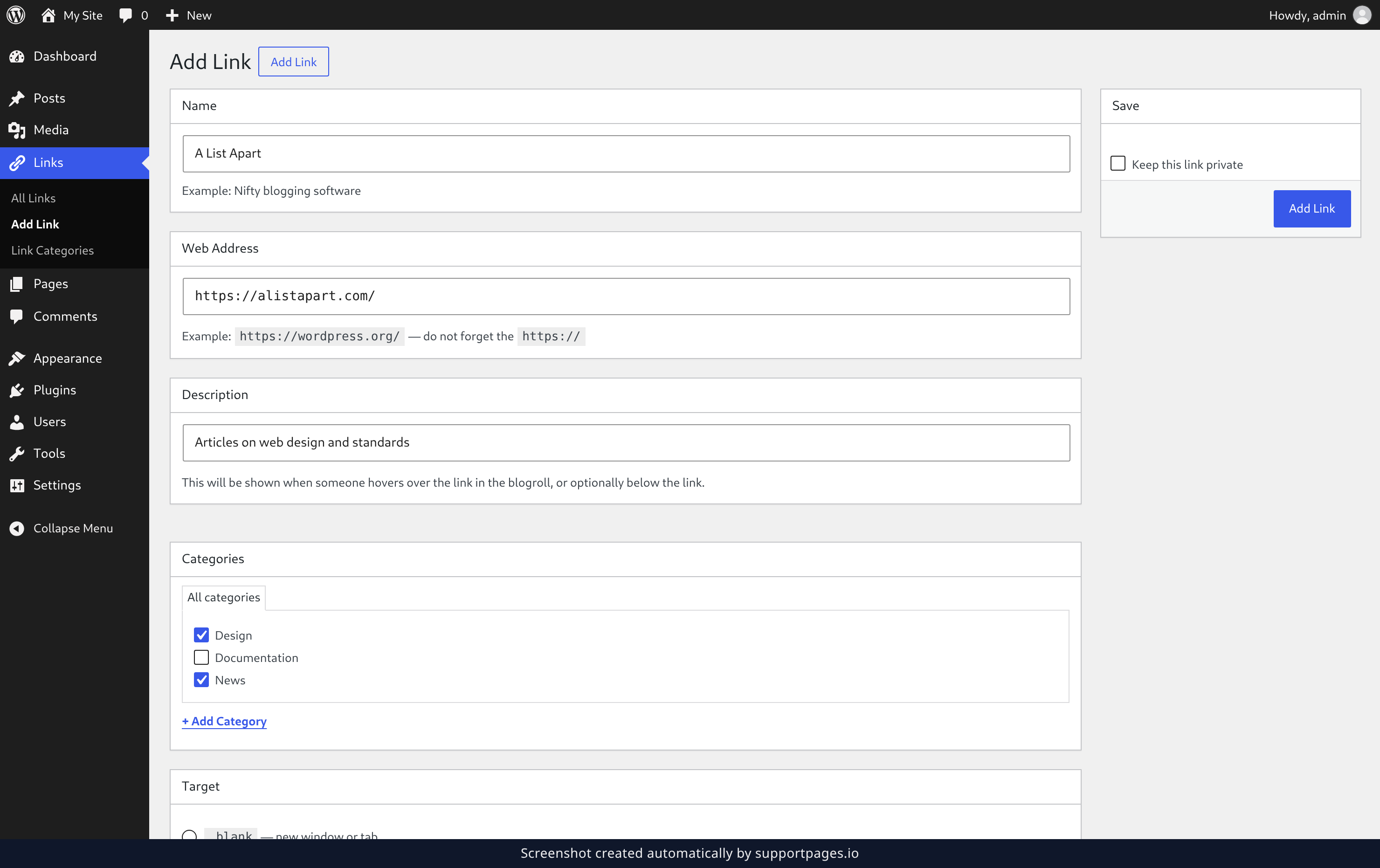
Click Add Link at the top of the screen to open a blank link form. Give the link a Name — that's the text people will see — and paste its Web Address, starting with https://. The Description is optional, and it's the line that appears when someone hovers over the link.
Put the link in a group
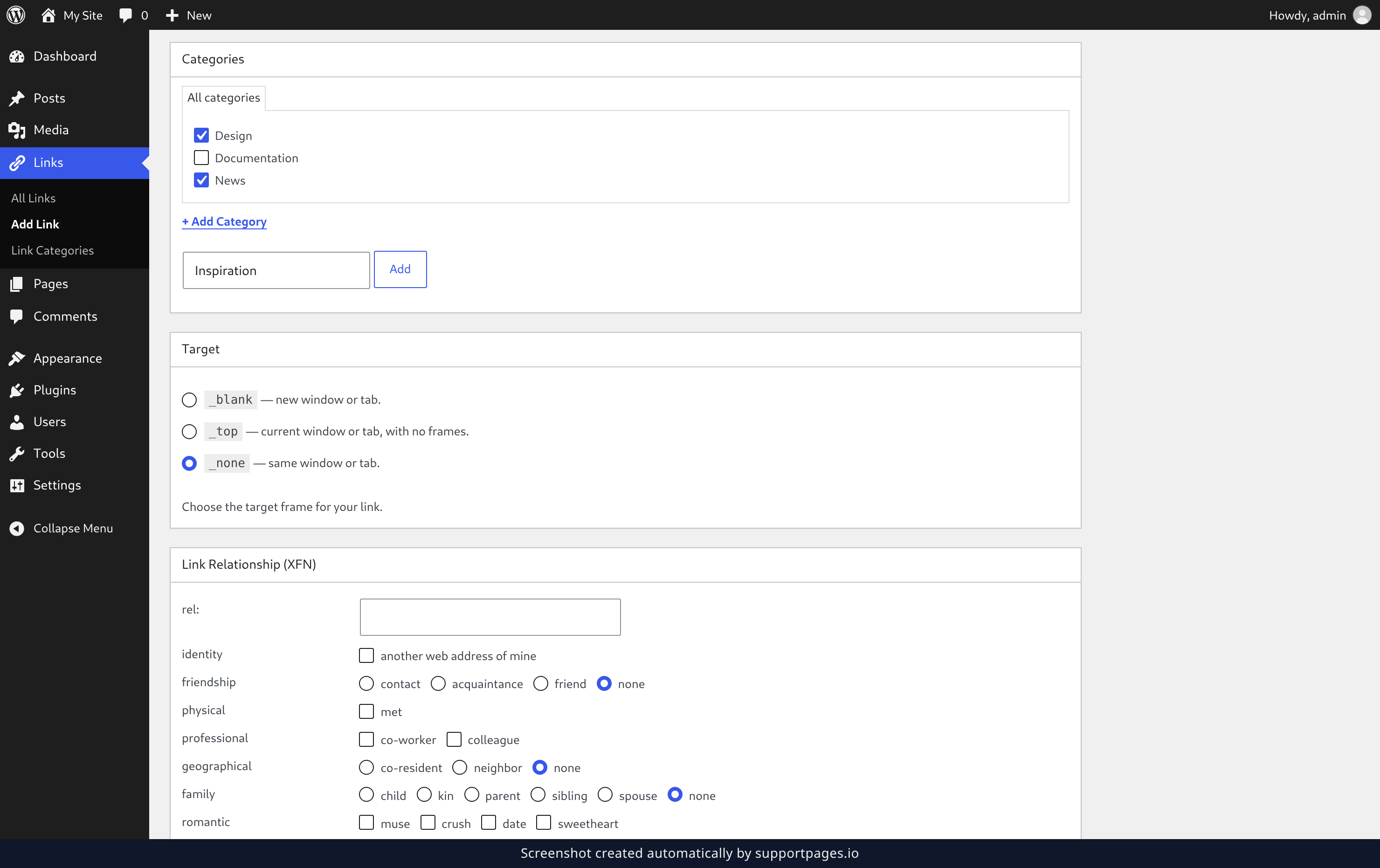
In the Categories box, tick the group this site belongs to. If the group you want isn't there yet, click + Add Category, type a name in the box, and click Add — it will be ticked for you straight away.
Set how the link behaves
Use the Target box to choose where the link opens: _blank sends people to a new tab, while _none keeps them on the same page. Link Relationship (XFN) is where you note how you know the site — a friend, a colleague, or another web address of mine. Tick Keep this link private if you're not ready to share it yet, then click Add Link in the Save box to finish.
Edit or remove a link later
Back on the Links screen, pick a group from the All Link Categories dropdown and click Filter to narrow the list, or use the search box to find a link by name. Hover over a link to see Edit and Delete, or tick several links at once, choose Delete from the Bulk actions menu, and click Apply.
Tips
- A single link can belong to more than one group, so you don't have to choose between them.
- A description is optional, but it's the only thing a visitor sees before they click — a short sentence goes a long way.
- Nothing is locked in: you can edit a link's address, group, or description at any time and save it again.
Summary
That's the whole blogroll — add a site, drop it into a group, and decide how it behaves. Everything stays editable from the Links screen, so you can reshuffle the list whenever you like.
Was this article helpful?
Built with supportpages.io — SaaS documentation software.
Have a question?
Search our articles, or ask and get an answer straight away.