
How to set up your privacy policy page
Updated about 1 month ago
Browse All
A privacy policy tells your visitors what you do with their data. WordPress can point your site at a page you already have, or draft a new one for you to work from — either way, it takes about a minute.
Before you start
- An account that can manage privacy settings on your site. Administrators can do this by default.
- A published or draft page to reuse, if you have already written a policy.
Steps
Point your site at a policy page
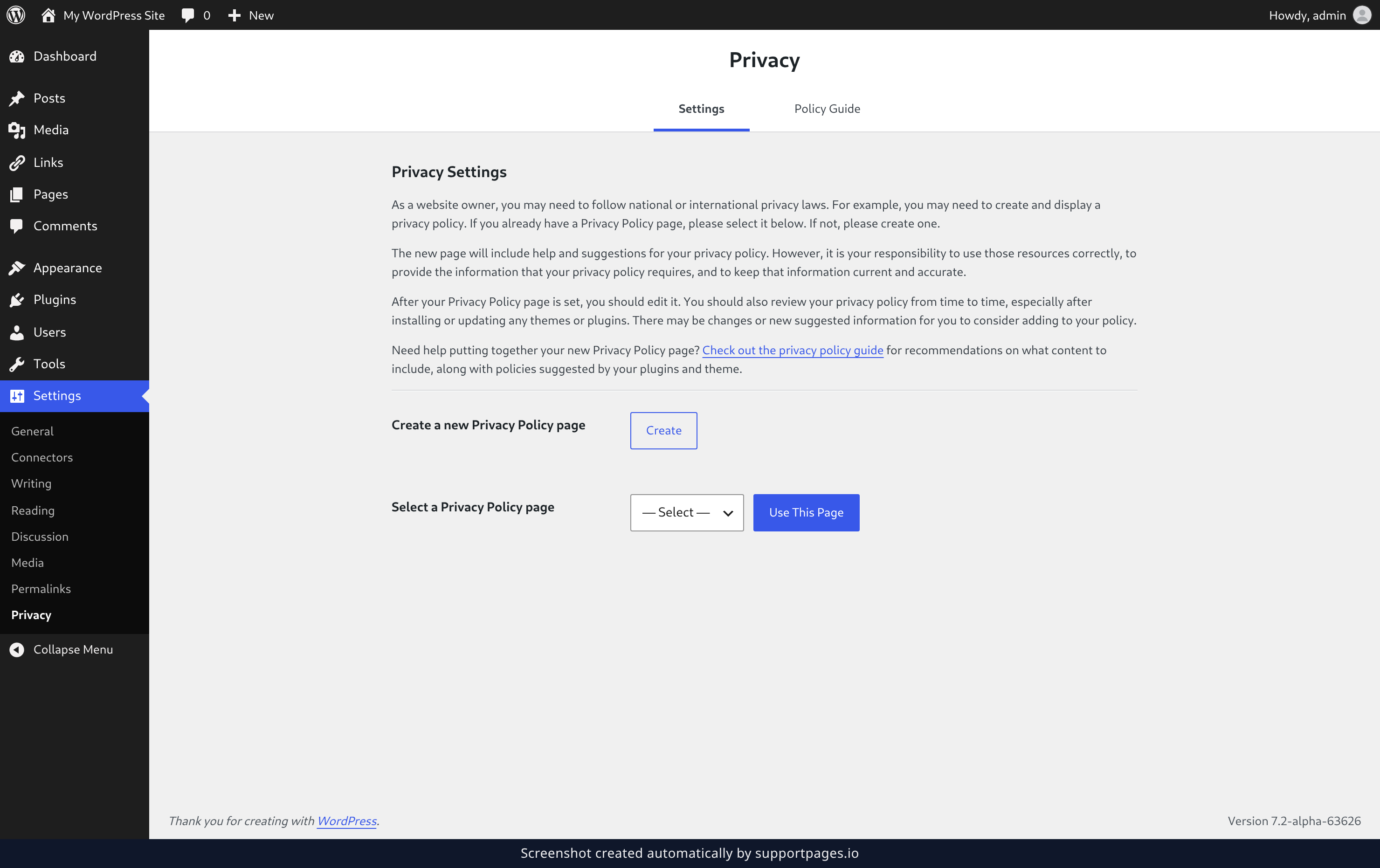
In the left-hand admin menu, open Settings and choose Privacy. If you already have a policy, pick it from the Select a Privacy Policy page list and click Use This Page. If you don't have one yet, click Create instead — WordPress writes a draft called Privacy Policy and opens it in the editor, already filled with the text it suggests.
Read the Policy Guide
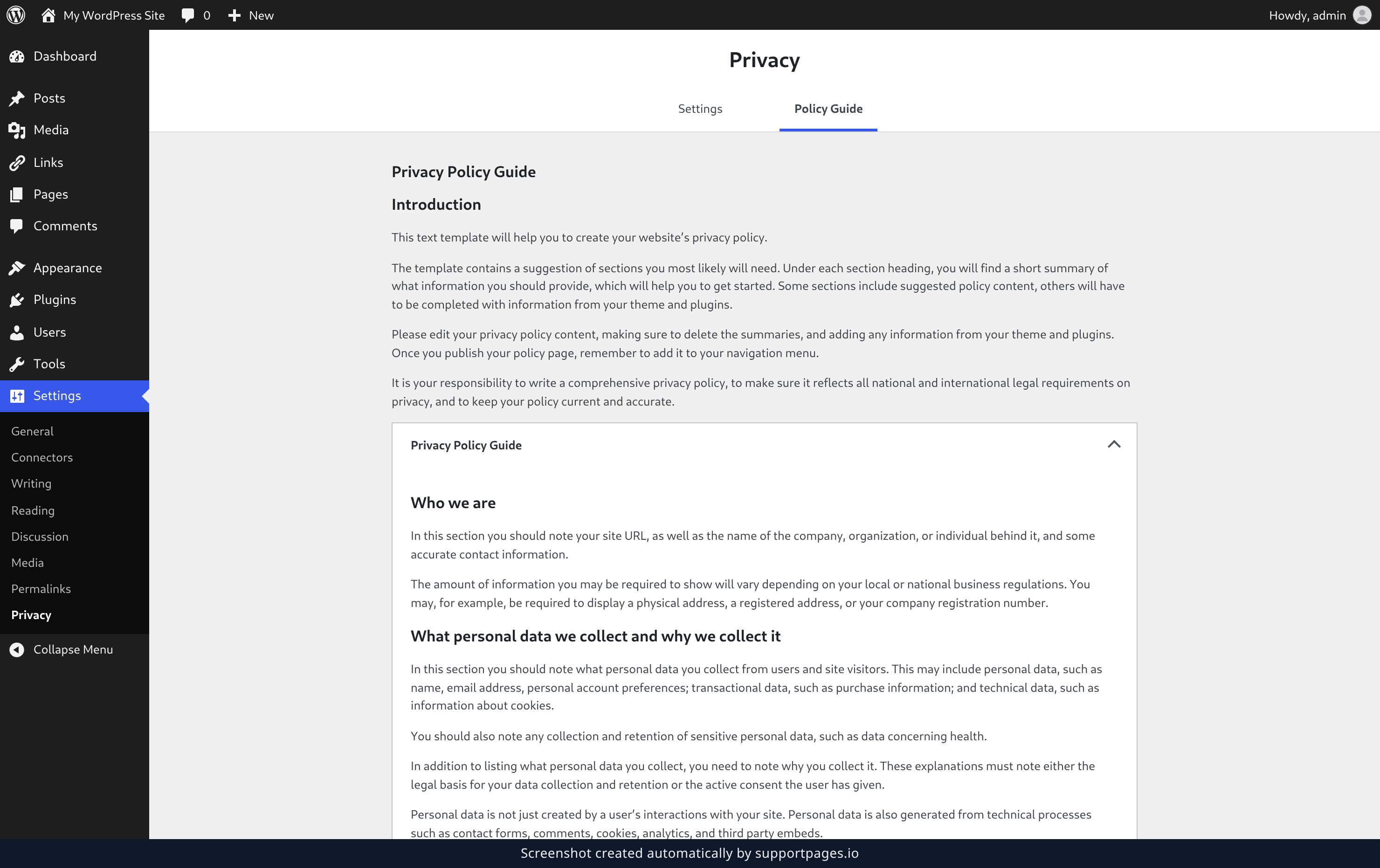
Not sure what your policy needs to say? Open the Policy Guide tab. The Privacy Policy Guide panel holds the template WordPress suggests, section by section, so you can take the parts that fit your site and leave the rest.
Edit your policy
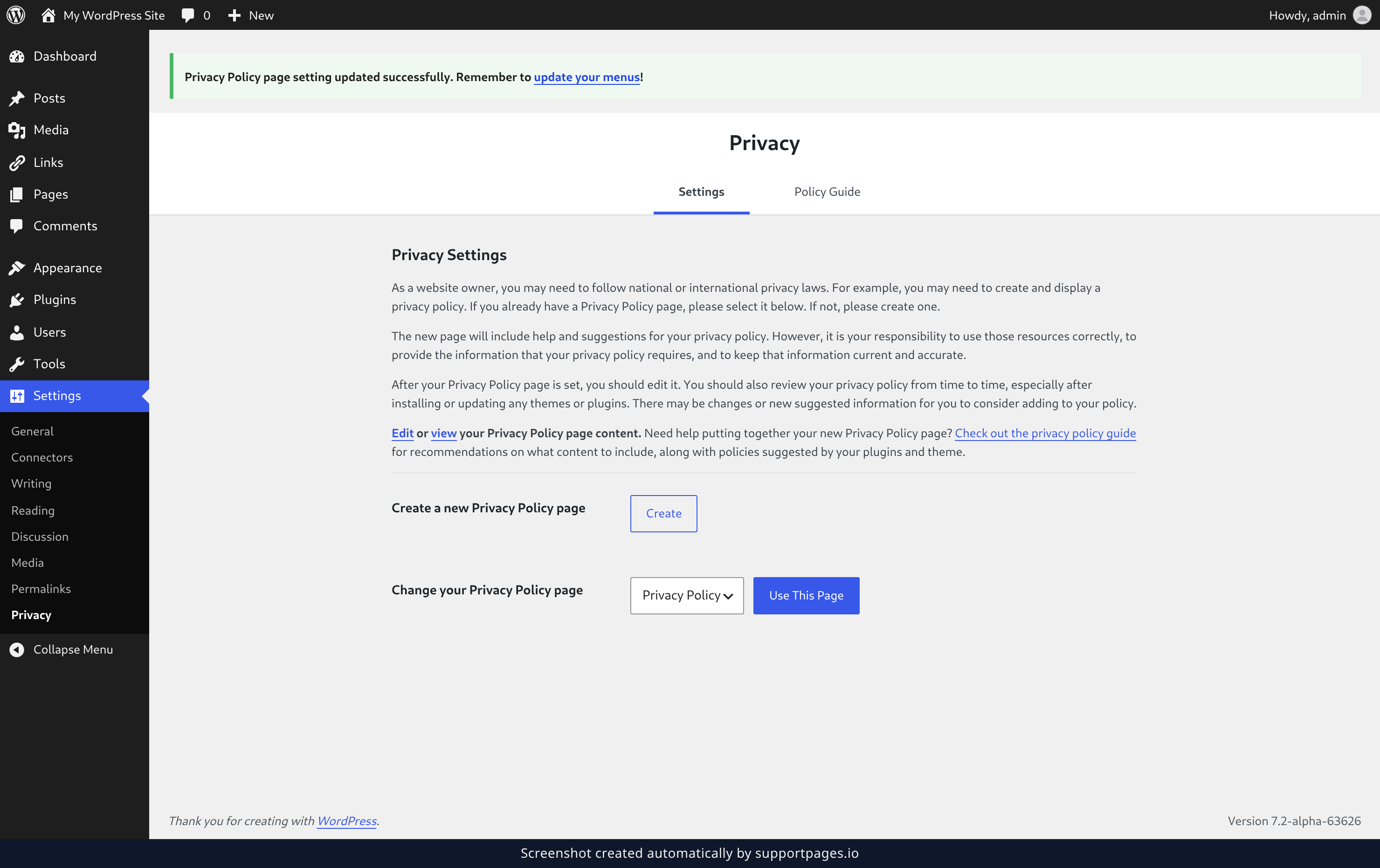
Back on the Settings tab, click Edit to open your policy page in the editor. Swap the suggested wording for details that are true for your site, then publish the page.
Tips
- Privacy rules vary from country to country. The guide is a helpful starting point, not legal advice.
- Add your policy page to your site's navigation menu so visitors can actually find it.
- Check the guide again after you install a new plugin or theme. It may have something new to suggest.
Summary
Your site now has a privacy policy page, and WordPress knows where to find it. Polish the wording until it sounds like you, and you are finished.
Was this article helpful?
Made by supportpages.io — turning pull requests into automated user documentation.
Have a question?
Search our articles, or ask and get an answer straight away.