
How to install a plugin from a ZIP file
Updated about 1 month ago
Browse All
Bought a plugin somewhere other than the WordPress Plugin Directory? If you have the .zip file on your computer, you can install it right from your dashboard — no file transfer tools, no code.
Before you start
- The plugin .zip file, saved somewhere you can easily find it
- An administrator account on your site — only administrators can install plugins
Steps
Open the Add Plugin screen
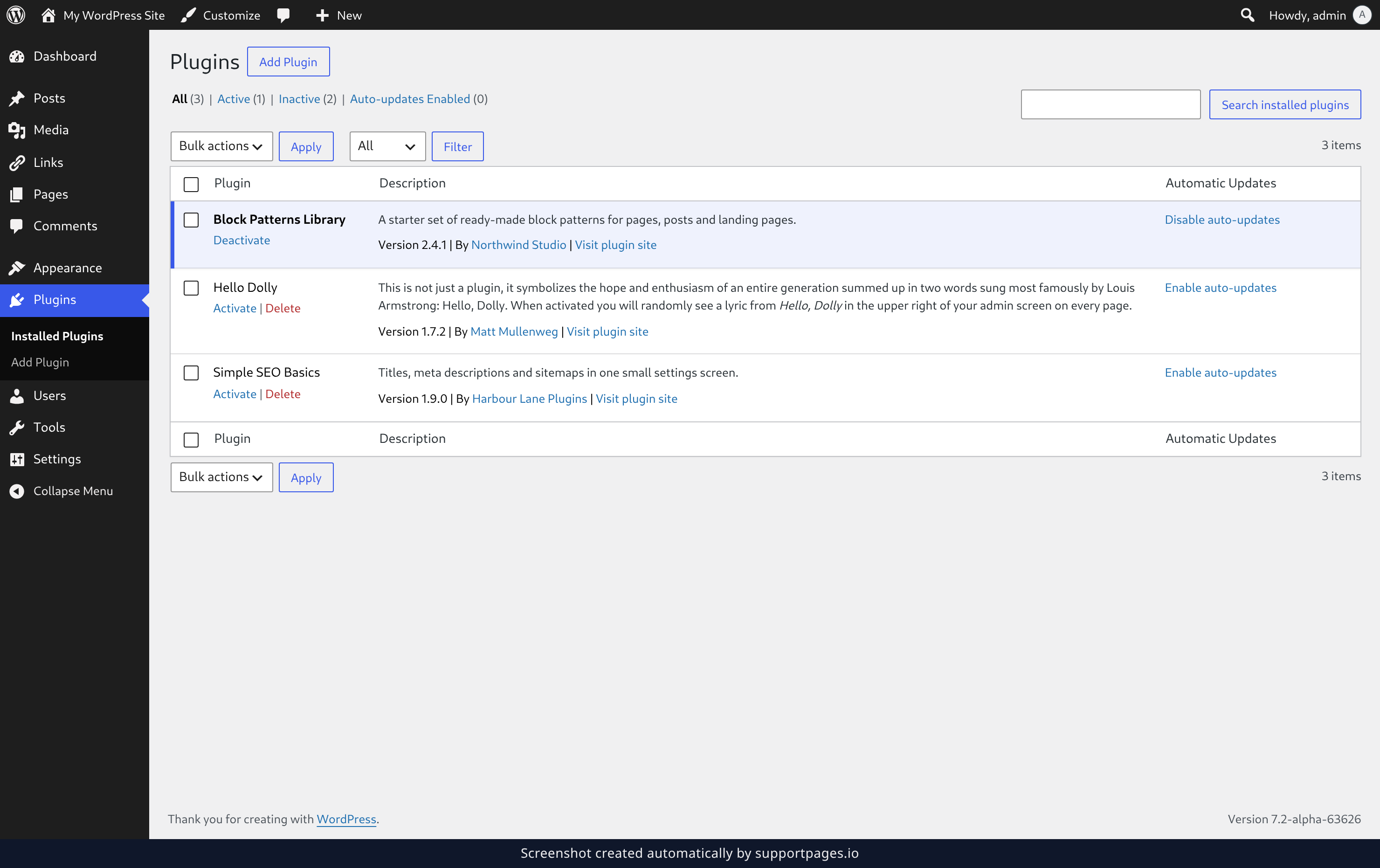
In your dashboard, click Plugins in the left-hand menu. Then click Add Plugin at the top of the page.
Open the upload form
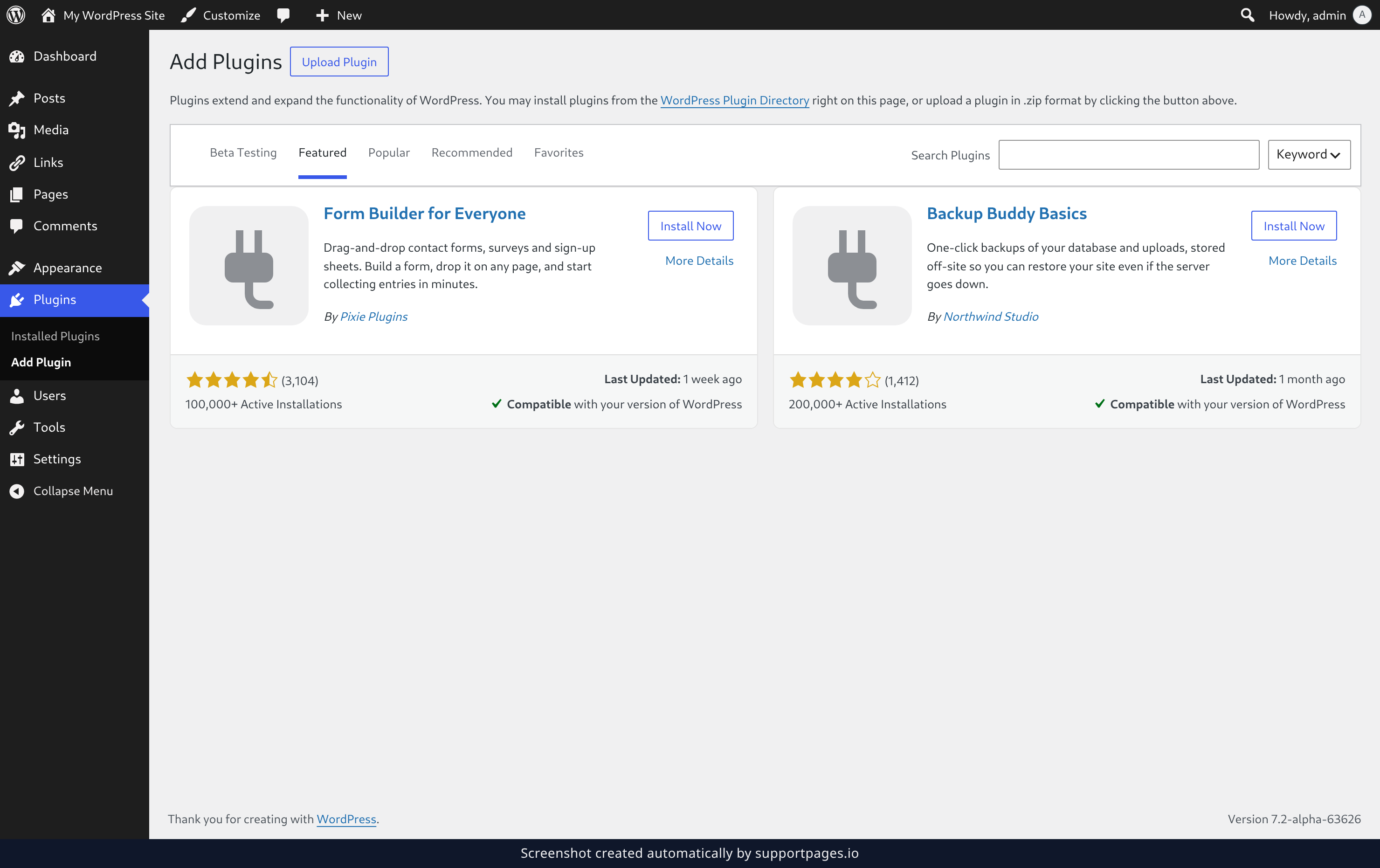
The Add Plugins screen shows plugins from the WordPress Plugin Directory. You don't need any of those — click Upload Plugin instead. A small upload box opens on the same page.
Choose your file and install it
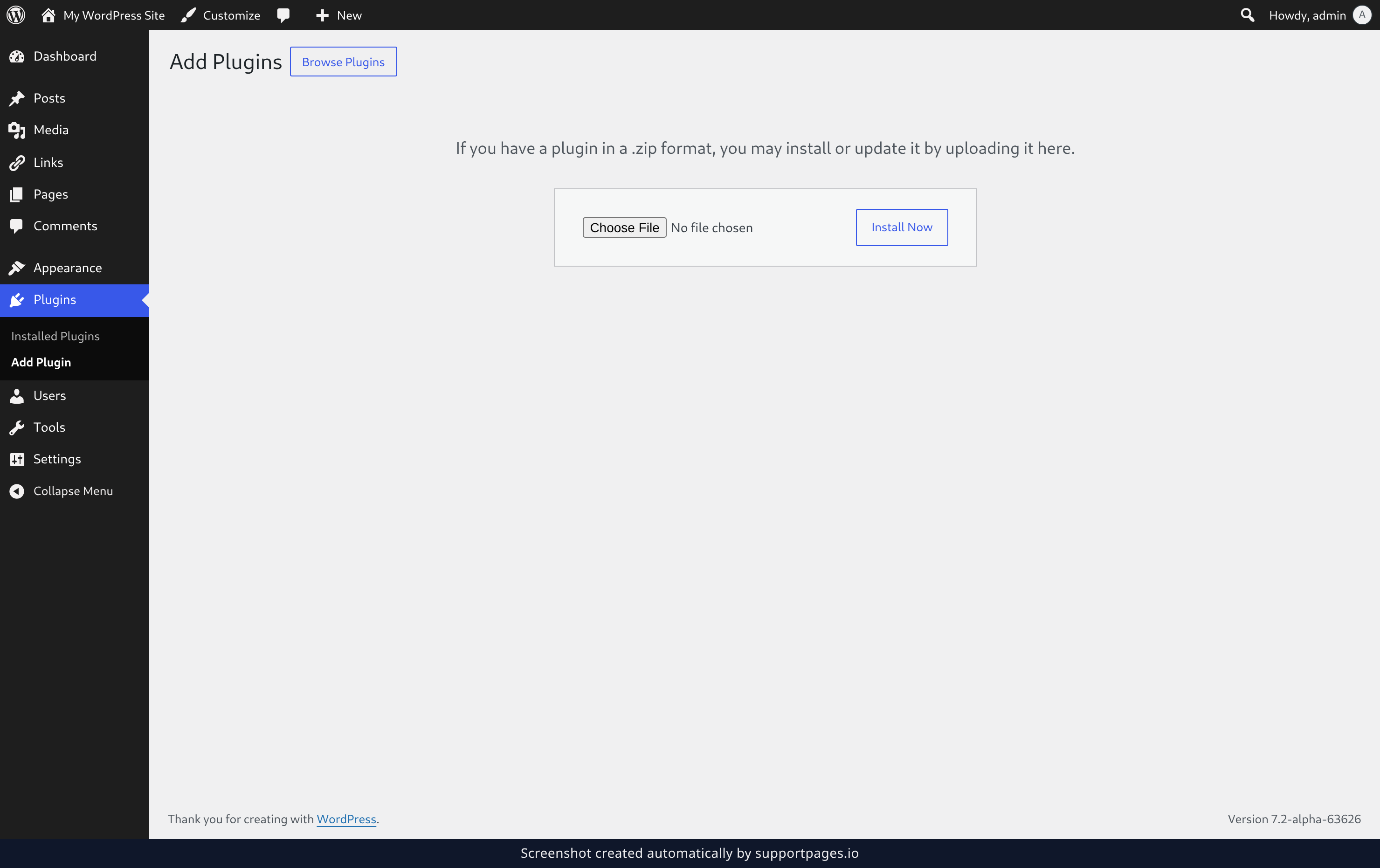
Pick the .zip file you downloaded, then click Install Now. WordPress uploads the file, unpacks it, and installs the plugin for you.
Activate your new plugin
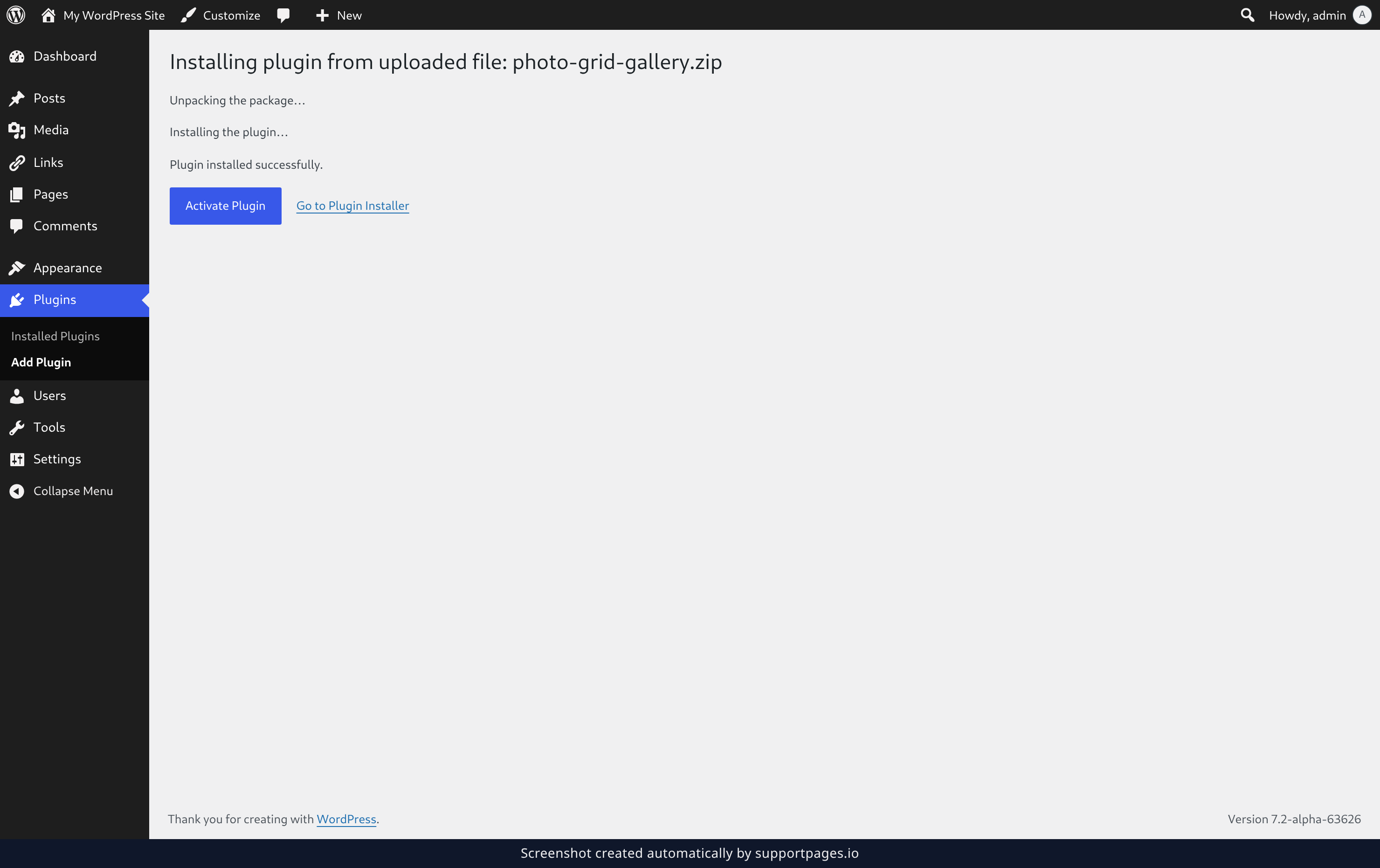
When the install finishes, WordPress confirms it with Plugin installed successfully. Click Activate Plugin and the plugin is live on your site, or use Go to Plugin Installer to return to the Add Plugins screen and switch it on from the Plugins list whenever you're ready.
Good to know
- Only upload .zip files from developers you trust — a plugin runs with the same access to your site as you do.
- Have a newer version of the same plugin? Uploading the new .zip over it updates the plugin in place.
- WordPress only takes a .zip here, so leave the plugin folder zipped rather than uncompressed.
Summary
Plugins ▸ Add Plugin ▸ Upload Plugin ▸ pick your .zip ▸ Install Now ▸ Activate Plugin. Any plugin you've downloaded as a .zip file is now working on your site.
Was this article helpful?
Built on supportpages.io — automated help articles for SaaS products.
Have a question?
Search our articles, or ask and get an answer straight away.