
How to mark a comment as spam
Updated about 1 month ago
Browse All
A few comments on your site will never be worth your time. WordPress lets you sweep them out of the way in a single click — one at a time, or a whole batch at once.
Before you start
- An account that can moderate comments — an Administrator or Editor on your site.
- At least one comment in your comments list to work with.
Steps
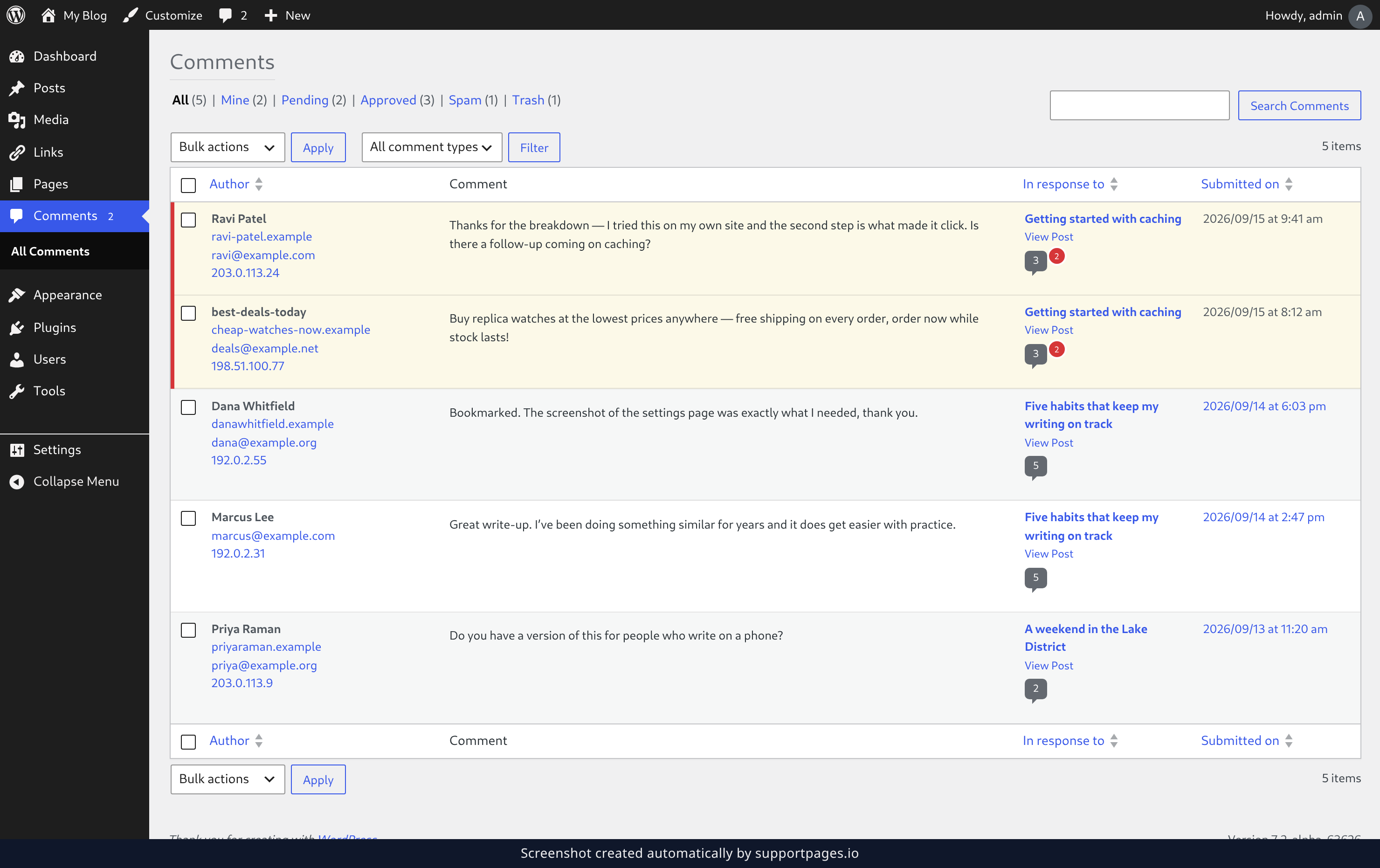
Open the Comments screen
In the left sidebar of your dashboard, click Comments. Your comments load newest first, and any comment still waiting for you to moderate has a red bar down its left side.
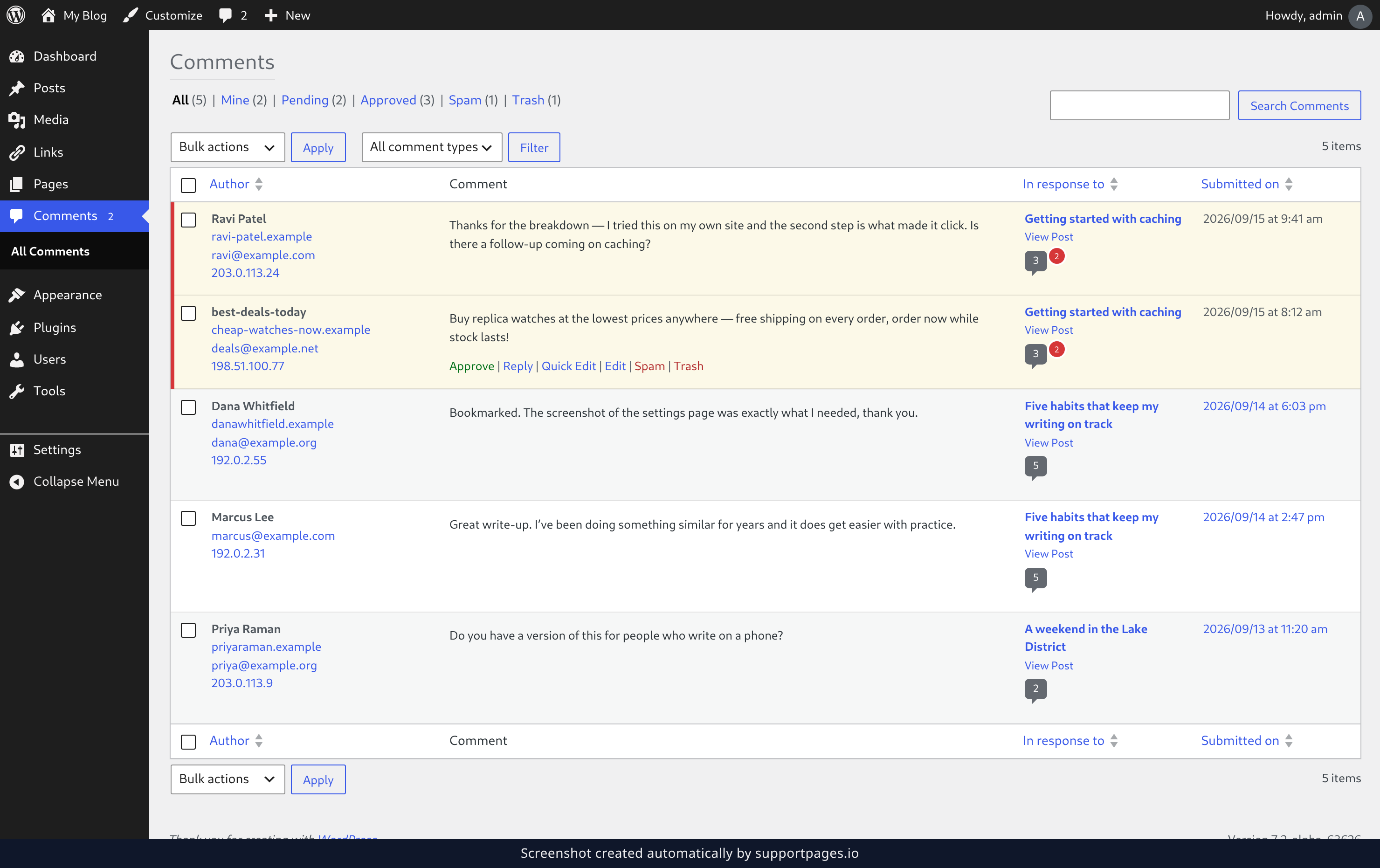
Mark a single comment as spam
Hover over the comment you want to get rid of. A row of action links appears underneath it. Click Spam, and the comment drops straight out of your list.
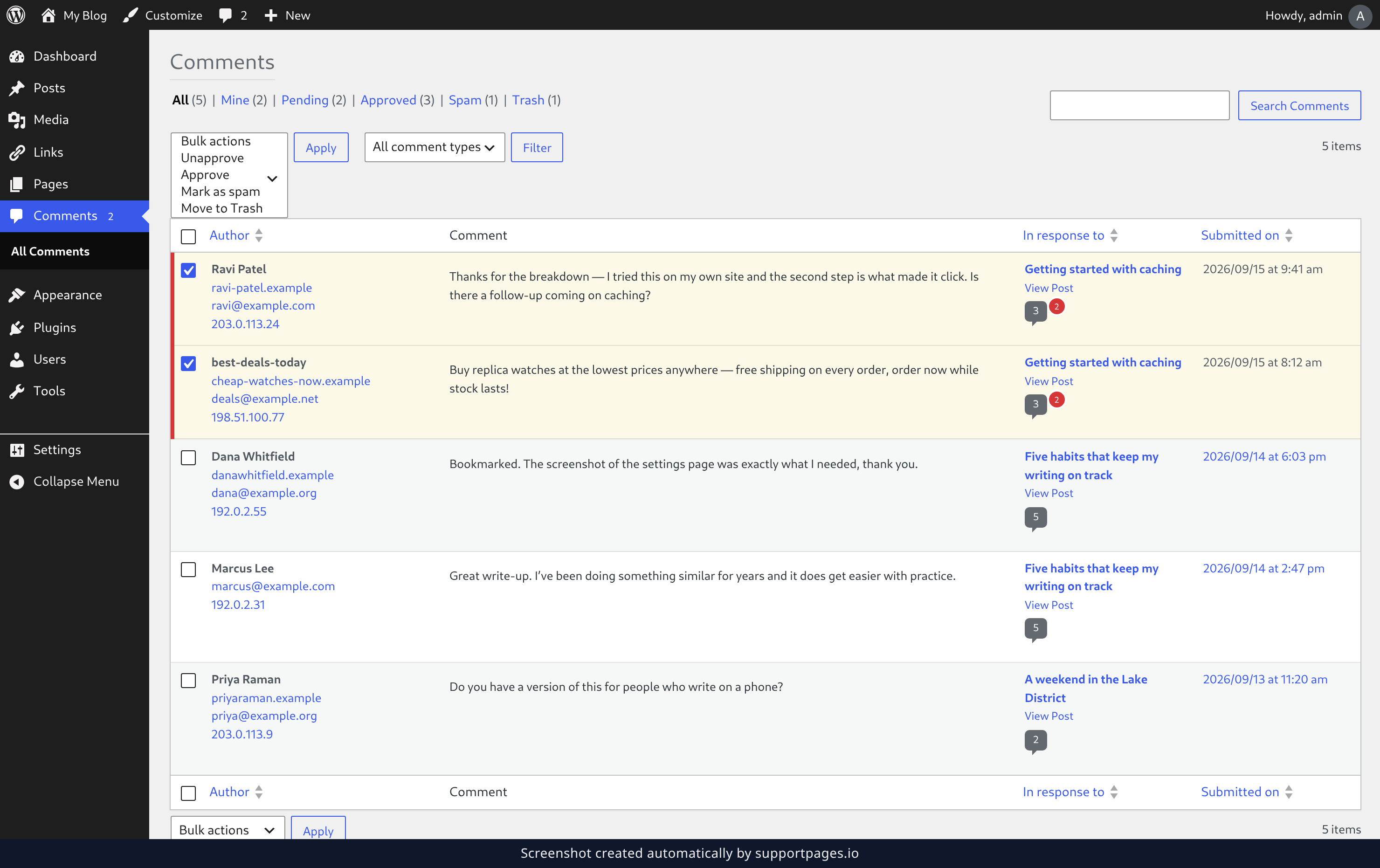
Mark several comments as spam at once
Tick the checkbox beside each comment you don't want. Open Bulk actions above the list, choose Mark as spam, then click Apply. They'll all be cleared in one go.
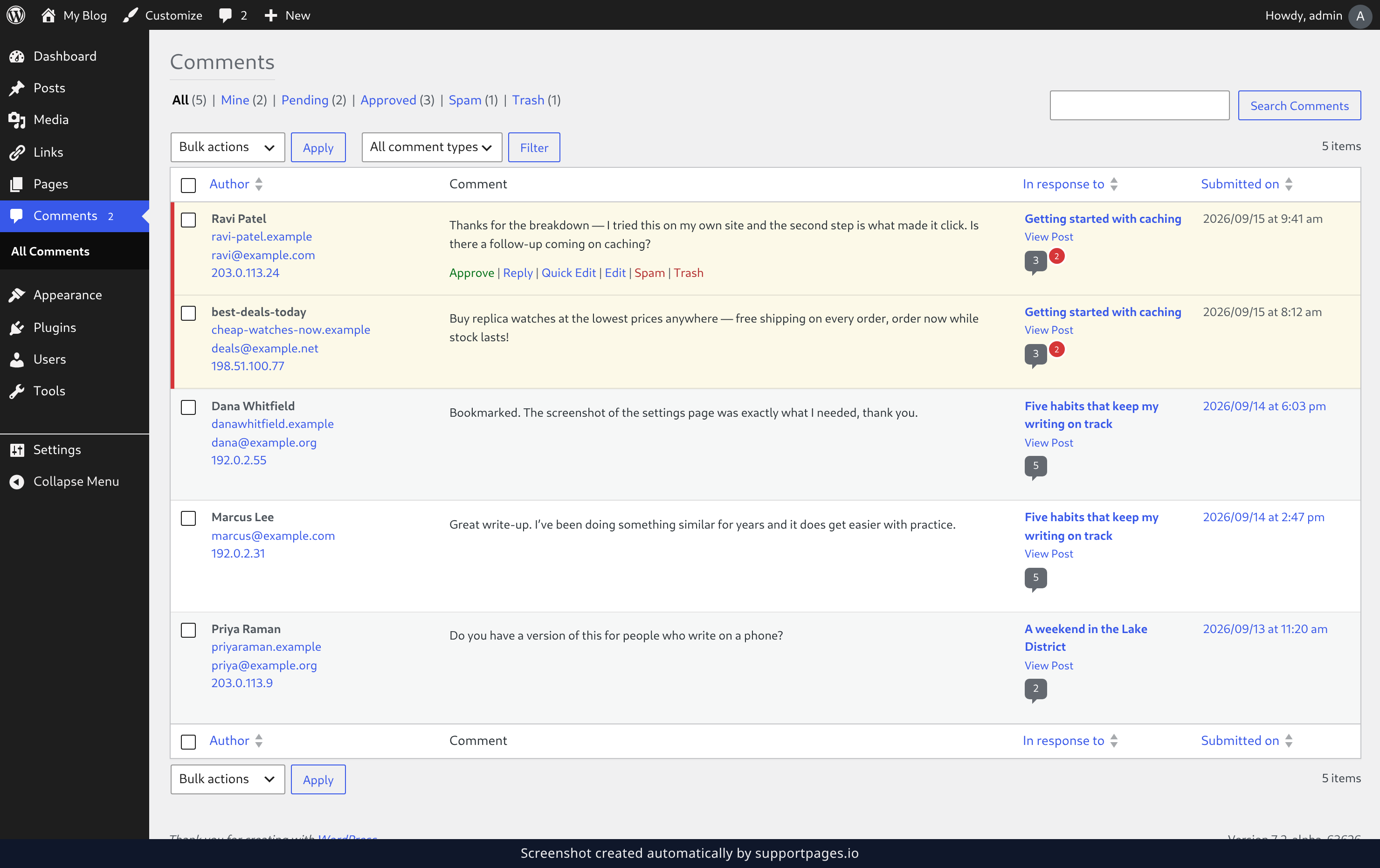
Move a comment to the Trash instead
When you're not sure a comment deserves to be spam, hover over it and click Trash — or tick several and choose Move to Trash from Bulk actions. Trashed comments disappear from your site but stay put for 30 days, so you can change your mind.
Empty the Trash when you're sure
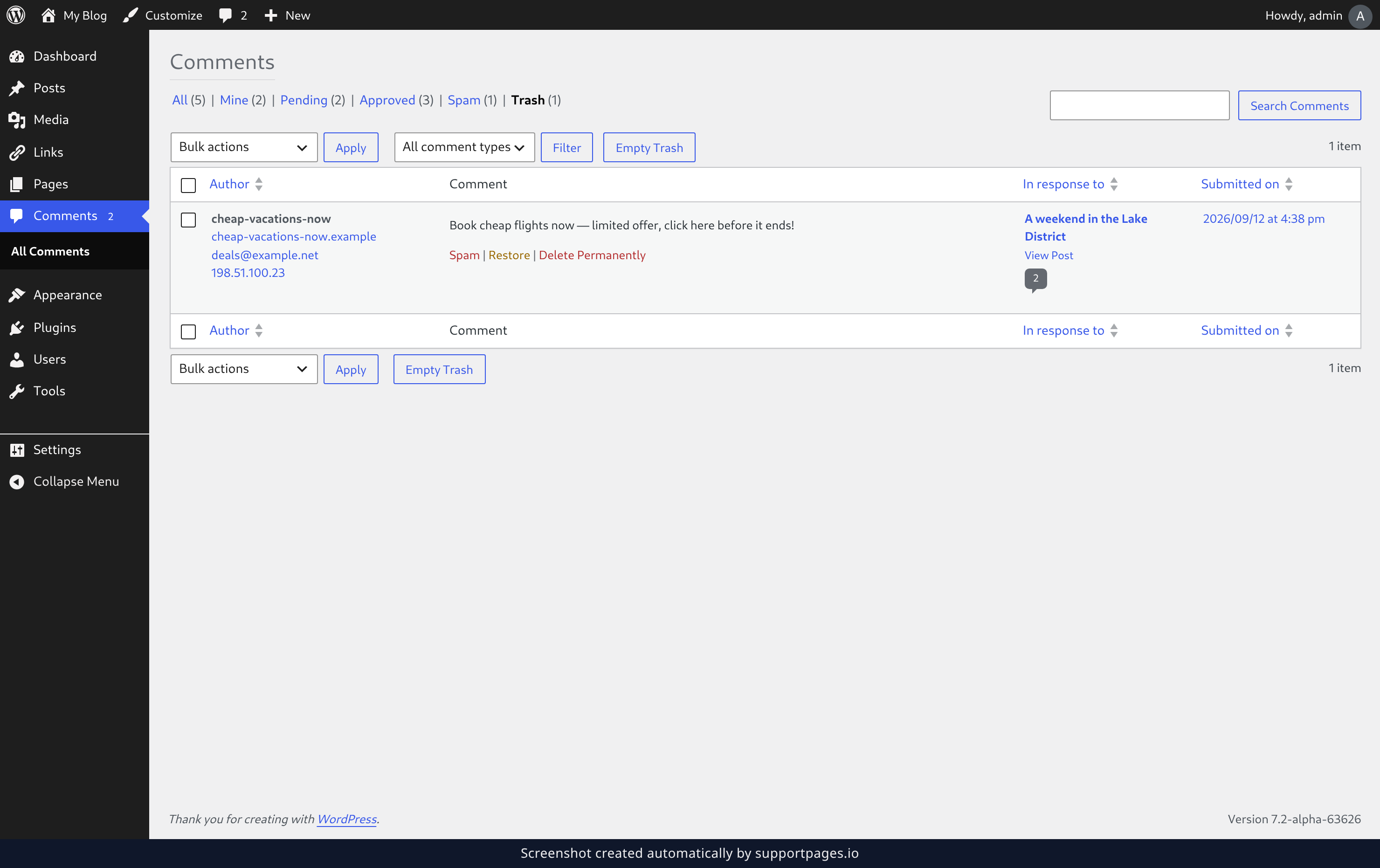
Click Trash at the top of the Comments screen to see everything you've thrown away. Nothing there worth rescuing? Click Empty Trash to remove it for good.
Tips
- Changed your mind? Open Spam, hover the comment and click Not Spam to bring it back.
- Spam comments never show up on your site, so there's no hurry to empty them.
- The Comments item in your sidebar carries a red bubble with the number of comments waiting for moderation.
Summary
Marking spam takes one hover and one click: Spam for a single comment, Mark as spam for a batch. And when you're certain nothing needs rescuing, Empty Trash clears the last of it away.
Was this article helpful?
Created with supportpages.io — AI help centre software.
Have a question?
Search our articles, or ask and get an answer straight away.